Choose Snipri if you clip several long recordings a month, since PRO+'s 300 minutes run out after five hours, and want your clips kept with no end date.
Choose Spikes Studio if you want transitions, zooms and branded captions added for you, scheduling on PRO+ or captions in over 99 languages.
Spikes Studio counts minutes; Snipri counts recordings by the hour. Bring a stream replay or an episode of up to 3 hours and get captioned vertical clips, from $29.90/month.
Your first 2 videos are free, up to 1 hour each. No credit card required.
Checked on October 22, 2026 against Spikes Studio's own pages; every link is under Sources. Written by Cihan Düzgören, who builds Snipri.
Price a month on Snipri and Spikes Studio
Spikes Studio counts minutes and Snipri counts videos. Set the month you expect, and each side shows the cheapest plan that covers it. Monthly prices are compared with monthly ones, and yearly with yearly.
4
60 min
Snipri
$29.90/month
Starter Uses 4 of 10 videos per month
A recording counts as one video for each hour of it, rounded up.
Spikes Studio
$32.99/month
PRO+ Uses 240 of 300 minutes per month
For the month you set, Starter on Snipri costs $3.09 a month less than PRO+ on Spikes Studio.
4 recordings of 60 minutes, billed monthly. Spikes Studio's figures come from its own site, checked on October 22, 2026; its links are under Sources. Prices in USD.
Three example months, billed monthly
Month
Snipri
Spikes Studio
4 recordings of 60 minutes
Starter$29.90/month
PRO+$32.99/month
12 recordings of 45 minutes
Pro$89.90/month
Enterprise$115.99/month
30 recordings of 90 minutes
Scale$299/month
No plan covers itThis month needs 2,700 minutes. The largest Spikes Studio plan with a monthly price gives 1,200 per month.
Comparing Snipri vs. Spikes Studio
We build Snipri, so read this as one side's comparison.
Snipri and Spikes Studio, feature by feature, checked October 22, 2026
Feature
Snipri
Spikes Studio
What you pay for
Videos per month, one for each hour of a recording, rounded up: three clips or ten from it count the same, and a recording that gives no clips is not counted.
Minutes per month
Lowest paid plan
Starter: $29.90/month for 10 videos, up to 2 hours each, or $23.91/month billed yearly ($286.90)
PRO+: $32.99/month, or $14.09/month billed yearly, 300 minutes per month
Free plan
2 videos of up to 1 hour each, once, with a watermark. Clips never expire.
Basic: free, watermarked, 720p, clips stored for 7 days; its FAQ mentions videos of up to 30 minutes
Watermark-free on the lowest paid plan
Yes
Yes
Longest video
1 hour on Free, 2 hours on Starter and 3 hours on Pro and Scale; links and cloud files up to 1 hour
Not stated for paid plans; videos of up to 30 minutes on Basic, per the FAQ
Export quality
1080 by 1920 on every plan, the free one included; square or landscape in the editor. Video pages are fetched at up to 720p.
1080p on PRO+ and Enterprise; 720p on Basic
Caption languages
25 languages for transcription and captions, chosen when you add the video or detected automatically
Over 99 languages
YouTube link import
Yes, public videos. Also file upload, other video links, Dropbox and Google Drive.
Not stated; the home page shows a file upload
Posting and scheduling
No. You download the clips and post them yourself.
Yes. A Social Media Scheduler on PRO+
API
Yes, on Starter, Pro and Scale, with a signed webhook when a job ends
Free, Starter, Pro and Scale. Every plan's price and limits are on the pricing page.
Spikes Studio pricing
Basic: free, watermarked, 720p, clips stored for 7 days
PRO+: $32.99/month or $14.09/month billed yearly, 300 minutes per month (3,600 a year), 1080p, no watermark, clips stored for 90 days, scheduler
Enterprise: $115.99/month or $56.34/month billed yearly, 1,200 minutes per month, 1080p, clips stored with no limit, API on application
Why choose Snipri over Spikes Studio
10 recordings of 60 minutes, billed monthly
Snipri Starter$29.90/month
Spikes Studio Enterprise$115.99/month
Ten hour-long streams on the first plan
Ten one-hour streams are 600 minutes, twice what PRO+ gives each month, so on Spikes Studio they need Enterprise at $115.99/month, or $56.34/month billed yearly. On Snipri they are ten videos, which Starter covers for $29.90/month.
One clip after two edits: a new title card and caption style
Snipri's cutEdited
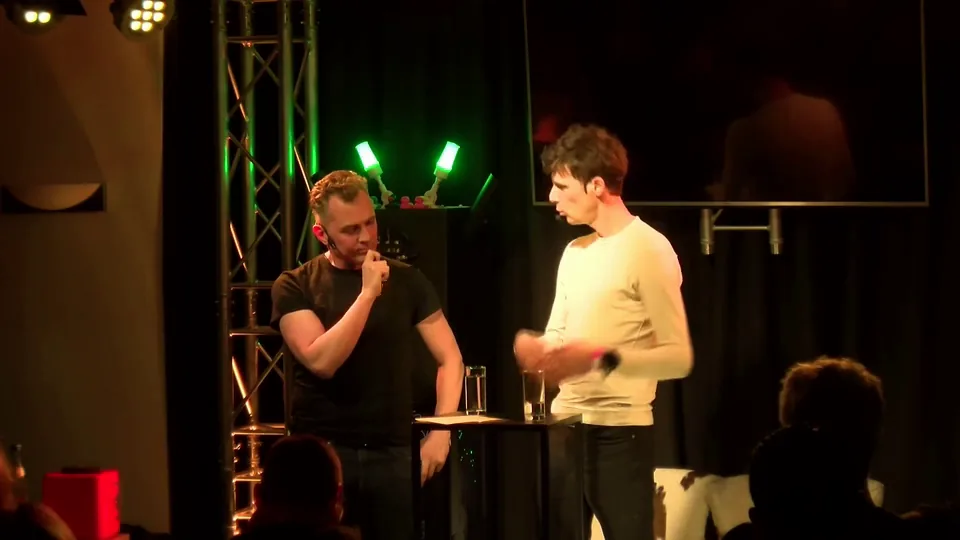
From “Frank talks AI, keynote style” by Frank Breedijk, Hacker Hotel 2025 (CC BY 4.0, via media.ccc.de), cut, reframed and captioned by Snipri, then edited, with the logo on Frank Breedijk's shirt painted out.
Retitle a clip after 90 days
Spikes Studio stores clips for 7 days on Basic and 90 days on PRO+, with no limit only on Enterprise. Snipri keeps every clip on every plan, the free one included, so an old clip can be retitled and downloaded again.
Wide shotStacked 9:16
From “Ask me anything, with Huib Modderkolk” by Chris van 't Hof and Huib Modderkolk, Hacker Hotel 2025 (CC BY 4.0, via media.ccc.de), reframed by Snipri, with the logo on Chris van 't Hof's shirt, the stand's prints and the microphone box's logo painted out.
Both people in a podcast frame
Spikes Studio names podcasters among its users. When a podcast is filmed as one wide shot, Snipri stacks the two speakers in a single 9:16 frame or cuts to the one talking, so nobody is cropped out.
When Spikes Studio is the better fit
You want transitions, zooms and branded captions added to each clip for you
You want a scheduler for your social accounts on PRO+
You need captions in a language Snipri lacks (Spikes Studio lists over 99)
How Spikes Studio and Snipri work
Spikes Studio
Spikes Studio's home page speaks to aspiring creators, video professionals, small businesses and podcasters.
1
Upload a video file.
2
Spikes Studio finds moments in it and adds transitions, zooms and branded captions, in several formats.
3
Edit videos of up to 5 minutes in its web editor, then schedule the clips to your social accounts.
Upload the stream replays and episodes you were sending to Spikes Studio. Each counts in Snipri as one video for each hour it runs, rounded up, up to your plan's length.
What stays with Spikes Studio
Scheduled posts and the clips stored in Spikes Studio stay there, so download any you want to keep before their storage ends.
Spikes Studio: common questions
How many minutes does Spikes Studio's PRO+ plan include?
300 minutes per month, which is five one-hour recordings, or 3,600 for a year billed yearly. Enterprise gives 1,200 per month. Snipri does not count minutes: a recording is one video for each hour of it, rounded up, up to its plan's length.
How long does Spikes Studio keep my clips?
Its pricing page lists 7 days on the free Basic plan, 90 days on PRO+ and no limit on Enterprise. Snipri keeps clips on every plan with no end date, so you can edit and download them again later.
Can Snipri clip a Twitch or YouTube stream?
Yes, once it is a recording. Upload the replay, up to 1 hour on Free, 2 hours on Starter and 3 hours on Pro and Scale, and choose Gaming as the kind of video to keep each play from its setup to its outcome. Snipri does not clip a stream while it is live.
How long can a Snipri clip be?
Clips run 15 to 60 seconds by default. Before a job you can choose 10 to 30 seconds, 30 to 60 seconds, 60 to 90 seconds or 90 seconds to 3 minutes instead. To keep one long stretch, One clip turns up to 10 minutes into a single clip.
Is Spikes Studio's free plan like Snipri's?
Both are free and watermarked. Spikes Studio's Basic exports at 720p and keeps clips for 7 days, and its FAQ mentions videos of up to 30 minutes. Snipri's free plan takes 2 videos of up to 1 hour each, once, exports them at 1080 by 1920 and keeps them with no end date.
Checked on October 22, 2026. Prices change, so check Spikes Studio's pages before you buy.
Spikes Studio is a trademark of its owner. Snipri is not affiliated with it.
Compare Snipri and Spikes Studio on one recording.
Upload the recording you would give Spikes Studio and judge the clips side by side. Your first 2 videos are free, up to 1 hour each, no credit card needed.