
Clipeditor
Clip editor: trim, split and add text to clips
The AI makes the first cut and you make the last one. Every clip opens in an editor made for one short clip: its own timeline, its words, its captions and its layers, with nothing to install.
Your first 2 videos are free, up to 1 hour each. No credit card required.
What can you change in the clip editor?
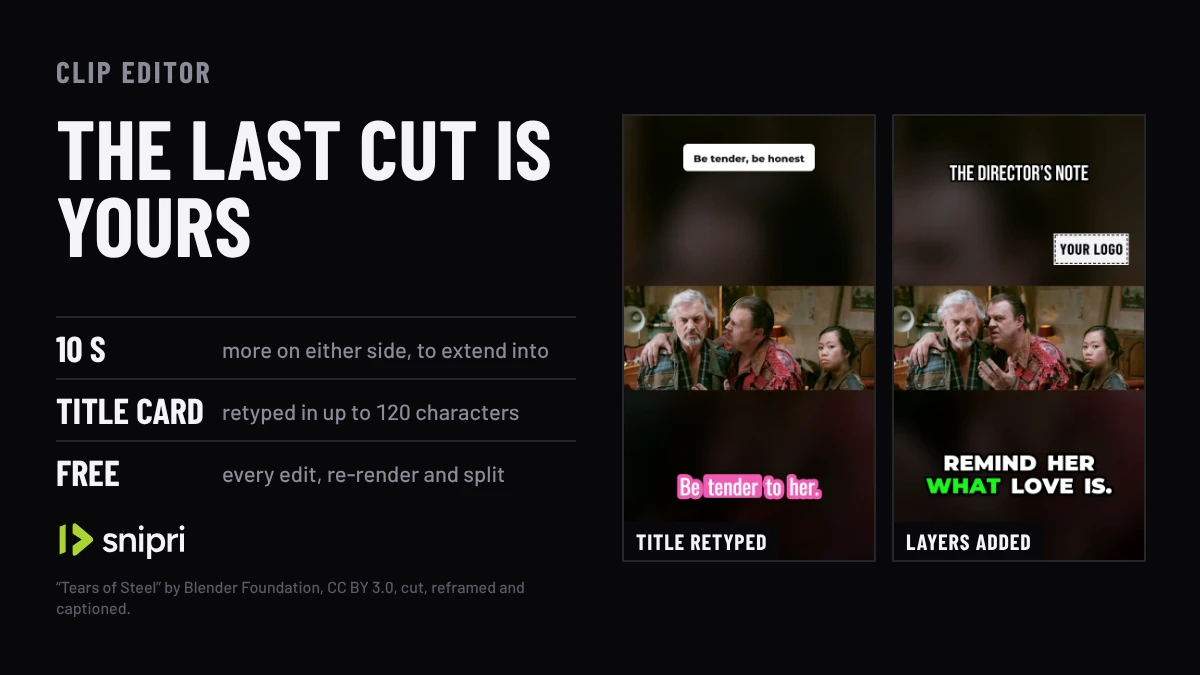
Almost everything about one clip. Trim it, split it, or extend it by up to 10 seconds on either side; rewrite the hook title card; restyle or fix the captions; change the framing scene by scene; and add text, images, B-roll and music. Each save re-renders the clip from its own base, at no cost.
10s
More on either side, within the part processed
1 to 10s
For the hook title card, up to 120 characters
8 text layers
Up to 120 characters each
4 images
PNG, JPEG or WebP, under 5 MB each
3 B-roll cuts
Of stock footage, each cued to a phrase
Free
Every edit, re-render and split
How the clip editor works
Cut it where it should end
Trim the start or the end, split one clip into two, or extend it by up to 10 seconds on either side. A split is two trims of one base, so neither goes back to the source video.
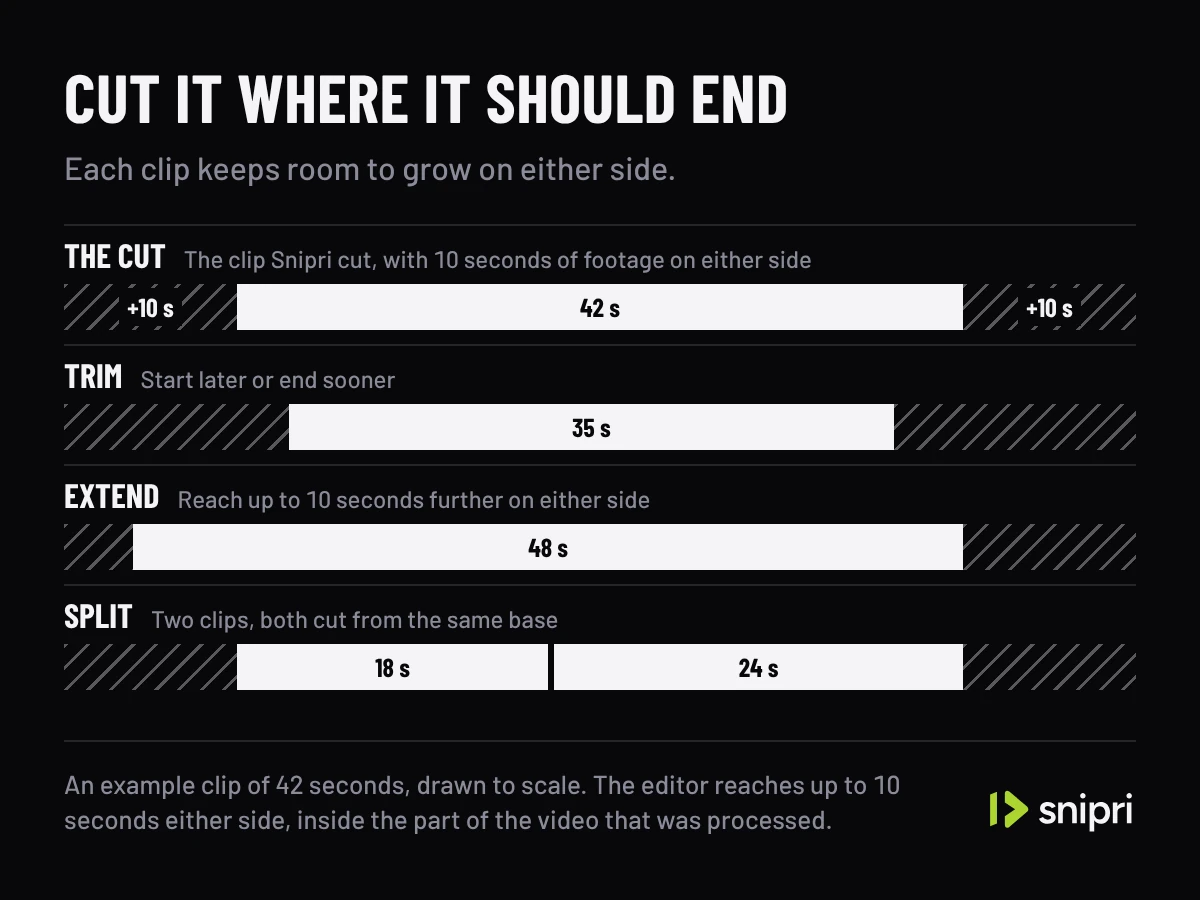
One clip's timeline, drawn from the editor's own limits. Rewrite the hook
The clip opens on a title card the AI wrote. Retype it in up to 120 characters, hold it for 1 to 10 seconds, or turn it off.
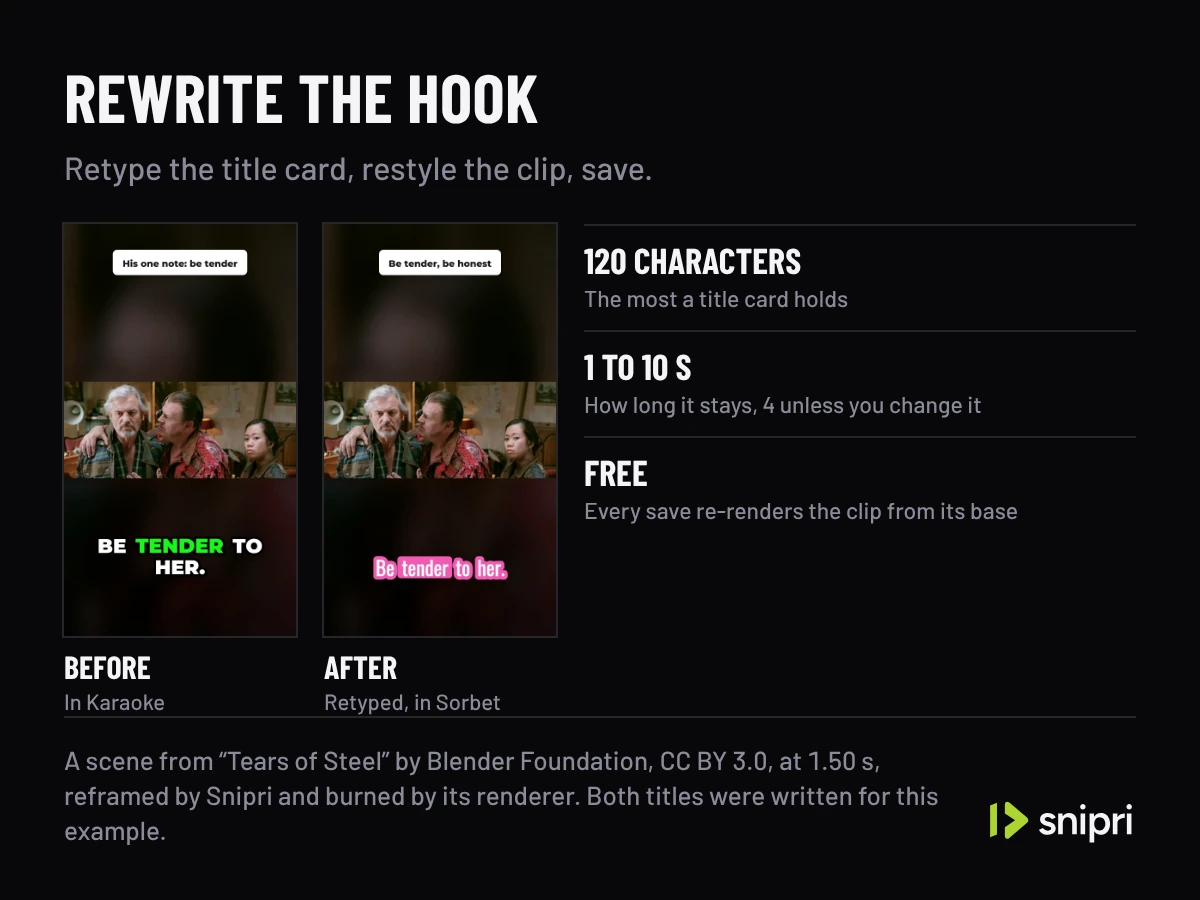
A scene from “Tears of Steel” by Blender Foundation, CC BY 3.0, before and after two edits, both burned by Snipri's renderer. Add your own layers
Place up to 8 text layers and 4 images by dragging them on the preview, time each on the clip's timeline, and add up to 3 B-roll cuts and a music track.
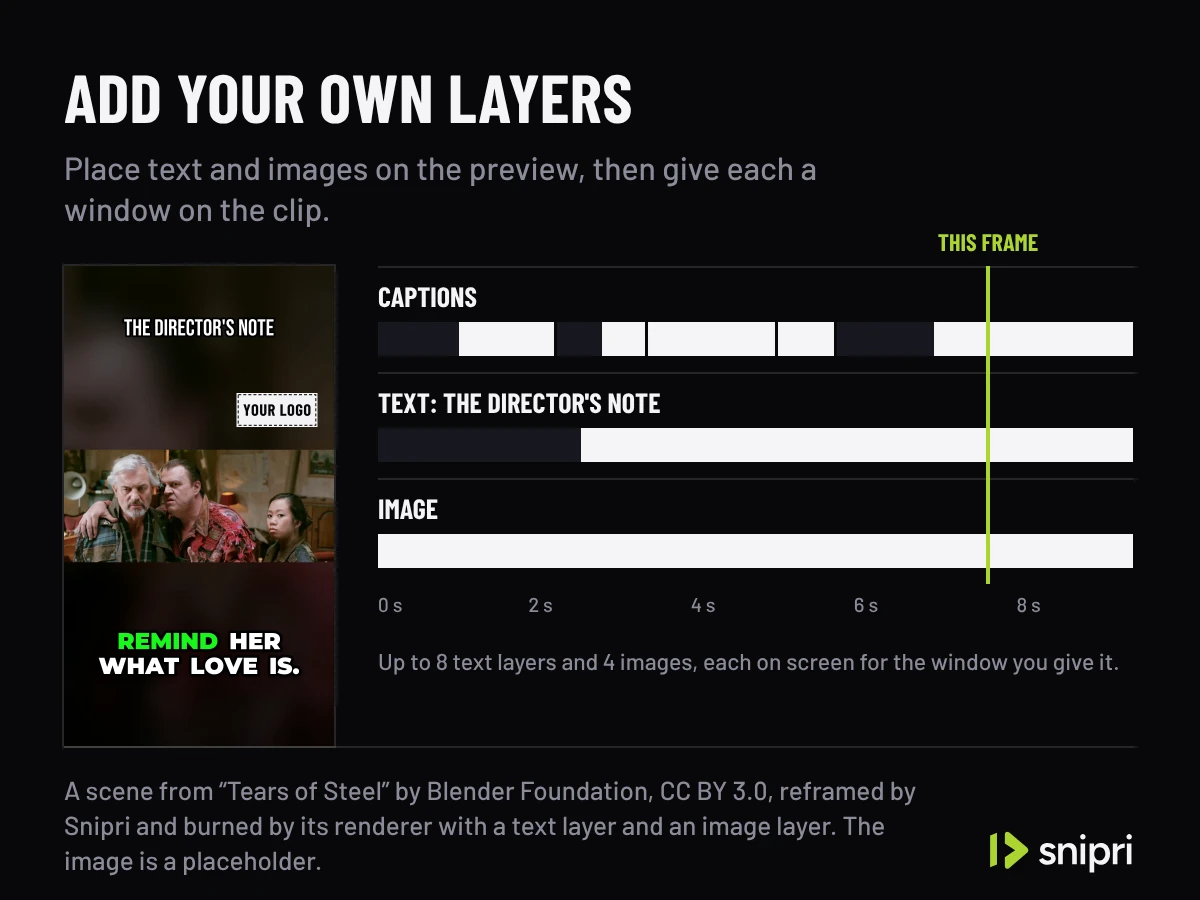
Layers on a scene from “Tears of Steel” by Blender Foundation, CC BY 3.0, burned by Snipri's renderer, and their windows.
Cut a word, and the clip cuts with it.
A real clip in the editor's own preview, here on the page. Cut a word from its transcript and the video cuts with it.
Restyle the captions, add a hook title, B-roll or music, and save it again. Edits never use another video.
Up to 10 extra seconds before and after each moment, from the part of the video Snipri processed.
Press a word to cut it from the clip.
8.5 seconds
27 words, nothing cut yet
Sample clip: “But yeah, apparently they start counting from one”
Part of a clip Snipri cut from “Reverse Engineering Life: A teardown of the DNA source code of a whole bacterium” by bert hubert, WHY2025 (CC BY 4.0, via media.ccc.de), as Snipri reframed it, with the words its job transcribed, with the festival's sign on the lectern painted out.
On interviews, Shorts and YouTube clips
Interview clip maker
Split an answer that covers two points into two clips, or extend one the AI ended a beat too early.
YouTube Shorts maker
Post the clips as they come, or trim and restyle them first. Either way it is the same one video on your plan.
YouTube clip maker
Rewrite the title card for where you post, and put your channel's handle on the clip as a text layer.
What the clip editor does not do
It edits one clip at a time.
There is no timeline for joining several clips into one video.
It does not reach past the part Snipri processed.
A clip grows by up to 10 seconds on either side only where that footage was processed.
It does not post for you.
You download the finished clip and post it yourself.
Frequently asked questions
Do edits cost a video?
No. Editing, re-rendering and splitting a clip are free on every plan. A video is counted once, when the job that made the clip finishes with at least one clip.
Can I make a clip longer?
Yes, by up to 10 seconds on either side, when that footage is in the part of the video Snipri processed.
Can I add music?
Yes. Upload an MP3, M4A, WAV or OGG file of up to 50 MB, set its volume against the clip's own sound, loop it, and fade either one in or out over up to 10 seconds.
Can I change the aspect ratio?
Yes. The Clip format menu re-renders a clip at 1:1 or 16:9. Clips from a job always start at 1080×1920.
Is Snipri free?
You start with 2 free videos of up to 1 hour each, once, with a watermark and no credit card. Paid plans start at $29.90/month for 10 videos a month, each up to 2 hours, without a watermark. A video counts once for each hour of it, rounded up, and only when it gives you at least one clip.
More Snipri features
AI clip selection
How Snipri's AI picks clips from a podcast or long video: it scores every moment, keeps only clips that stand on their own and shows why each one was chosen.
Auto reframe
Auto reframe turns horizontal video into vertical 9:16 clips. Snipri finds the speaker in each shot, stacks two or three people, or keeps the whole shot.
Animated captions
Animated AI captions for vertical clips: every word timed to the moment it is said, in a style you pick, in 25 languages, and restyled any time after export.
Brand kit
Save your logo, handle, font and caption look once in Snipri's brand kit, and every new clip is born wearing them. Change the kit any time, on every plan, free.
Guides and comparisons
Try it on your own recording.
Upload one recording and see clip editor on your own video. Your first 2 videos are free, up to 1 hour each, no credit card needed.