
Animatedcaptions
Animated captions: AI captions timed word by word
A clip in a muted feed is read before it is heard, so its words carry it. Snipri times every word from the transcript, burns the captions in the style you choose, and lets you change that style at any point after the clip is made.
Your first 2 videos are free, up to 1 hour each. No credit card required.
What are animated captions?
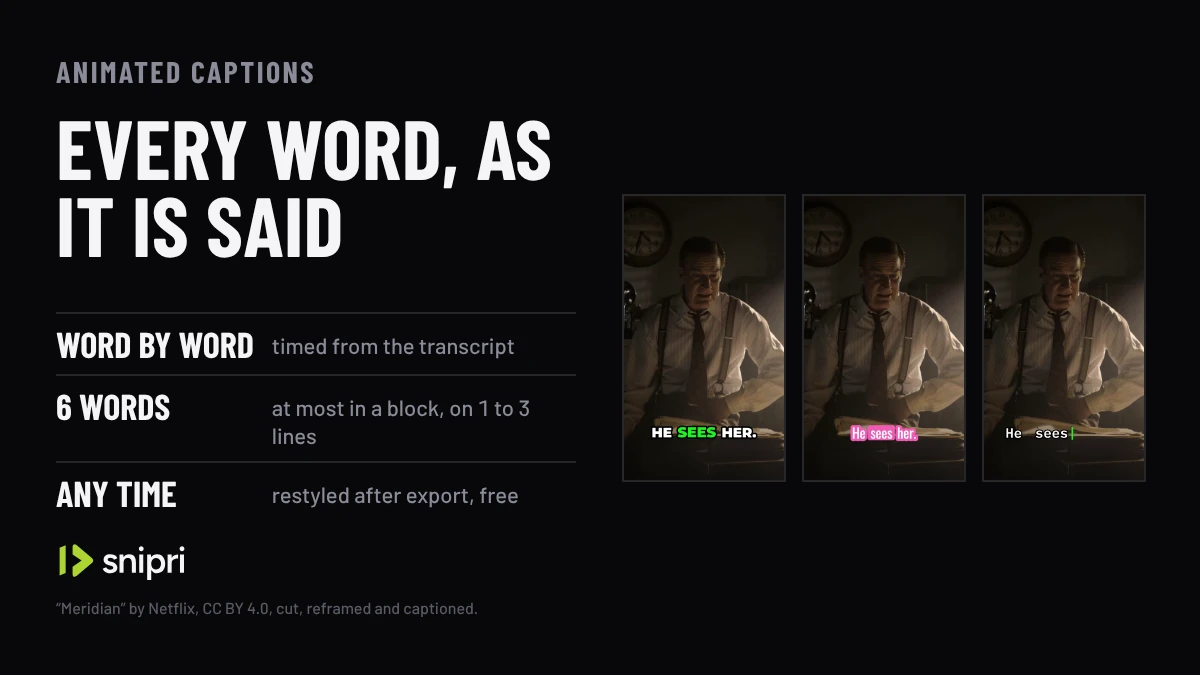
Animated captions show a clip's words as they are spoken, each one lighting up, growing or arriving on its own beat. Snipri times every word from the transcript, groups the words into blocks of up to 6, and burns them into the clip in the style you pick, in any of the 25 languages it transcribes.
Word by word
Each word timed to the moment it is said
25 languages
Transcribed and captioned, with a font for each script
13 fonts
Bundled, or upload your own
6 words
At most in one caption block, on 1 to 3 lines
3 places
Top, middle or bottom of the frame
Any time
Restyled after export, and re-rendered free
How animated captions work
Every word is timed
The transcript gives each word its start and its end. Words are grouped into blocks of up to 6, and a pause longer than 0.8 seconds starts a new block.
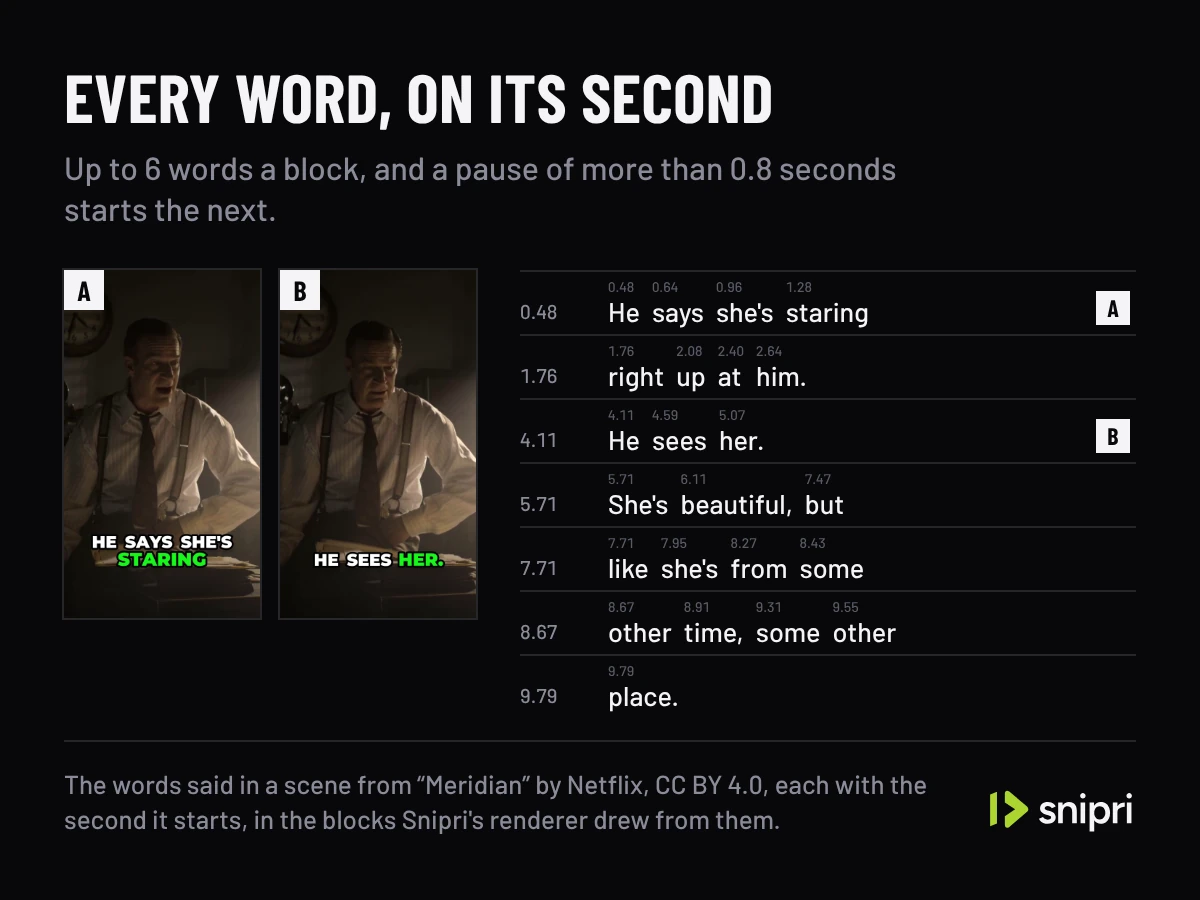
The words said in a scene from “Meridian” by Netflix, CC BY 4.0, and the blocks Snipri's renderer drew from them. Pick a look, before the job or after
Each style is a whole look: the font, the colours, how the spoken word is marked and how the words arrive. You can also keep your brand kit's look or turn captions off.
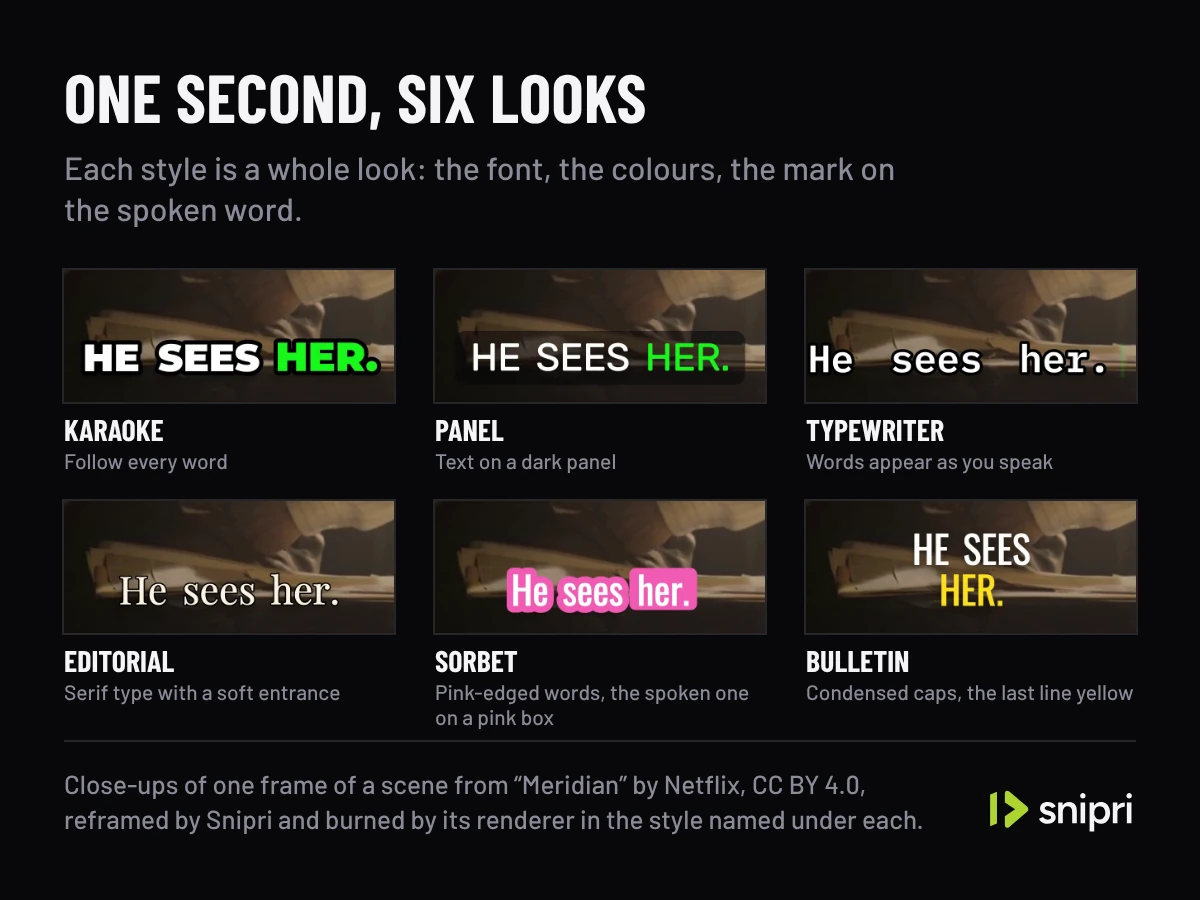
One moment of a scene from “Meridian” by Netflix, CC BY 4.0, in six styles, each burned by Snipri's renderer. Fine-tune it in the editor
Change the font, size, colours, outline, word highlight and position, or fix a misheard word, and the clip re-renders with the new captions.
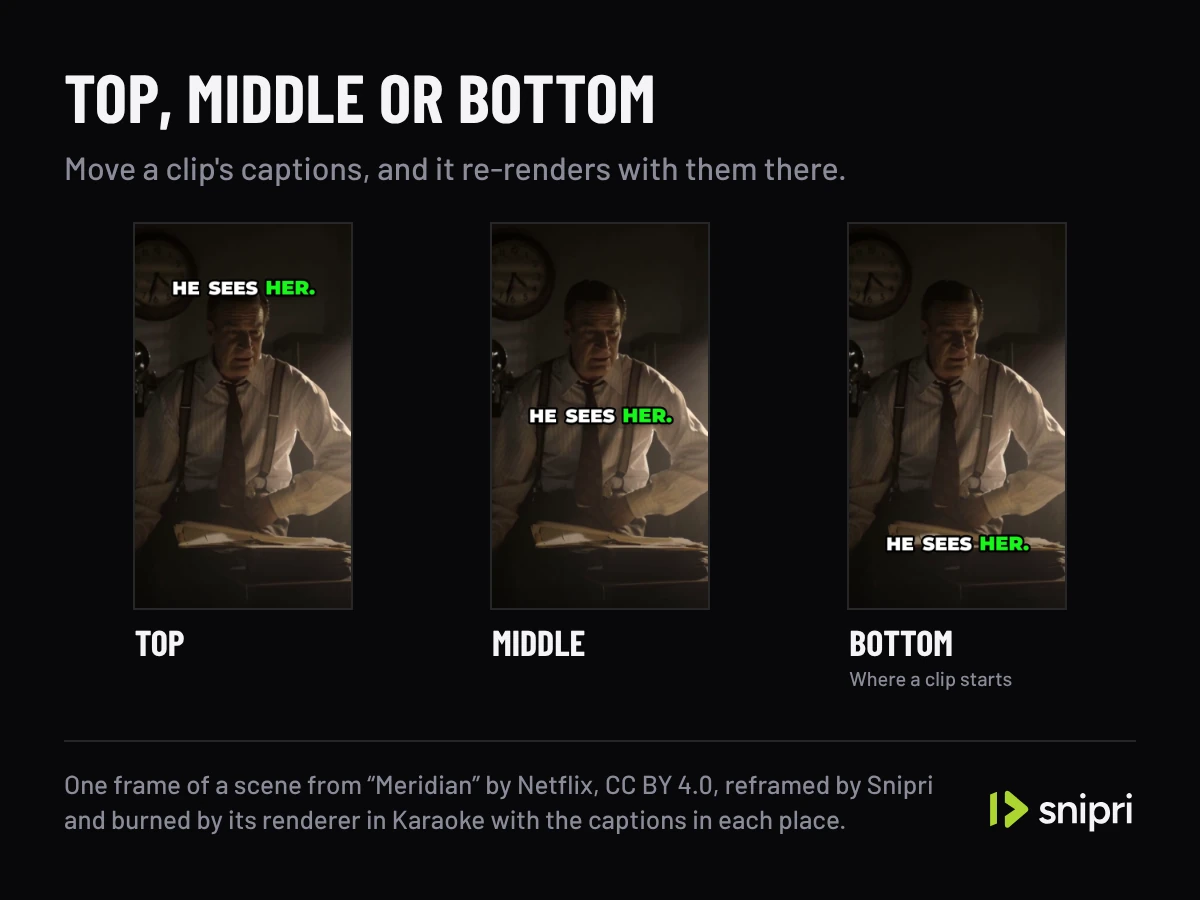
One moment of a scene from “Meridian” by Netflix, CC BY 4.0, with the captions in each of the three places, burned by Snipri's renderer.
Word by word
Karaoke, the look a clip starts in.
Each word lights up as it is said. A new clip wears this look until you pick another style or save your own in the brand kit.
On interviews, Shorts and YouTube clips
Interview clip maker
Each word of an answer lights up as it is said, so a muted viewer can follow the guest's point.
YouTube Shorts maker
Shorts, Reels and TikToks get the same captions, burned into the 9:16 clip.
YouTube clip maker
A clip cut from a YouTube video is captioned from its own transcript, in the language it was spoken in.
What animated captions do not do
It does not translate.
Captions are in the language spoken in the video.
It does not make a subtitle file.
Captions are burned into the picture, so they look the same on every platform.
It does not caption audio alone.
Snipri needs a video, because it frames each clip around the picture.
It does not promise every word.
Read names and terms before you post, and fix any word in the editor.
Frequently asked questions
Can I change the caption style after the clip is made?
Yes. Pick another style or change any part of one in the editor, and the clip re-renders with the new captions. Edits never use another video.
Which languages can be captioned?
Snipri transcribes and captions 25 languages: Croatian, Czech, Danish, Dutch, English, Finnish, French, German, Greek, Hungarian, Indonesian, Italian, Japanese, Korean, Norwegian, Polish, Portuguese, Romanian, Russian, Slovak, Spanish, Swedish, Turkish, Ukrainian and Vietnamese. Choose the spoken language when you add a video, or let Snipri detect it. When a built-in font lacks a language's letters, the caption switches to one that has them.
Can I use my own font for captions?
Yes. Upload a TTF, OTF or TTC file of up to 8 MB in your brand kit, and use it for captions and text layers.
Are the captions burned into the video?
Yes. They are part of the picture, so they show the same way on every platform, with nothing to upload beside the video. You can also turn them off for a clip.
Is Snipri free?
You start with 2 free videos of up to 1 hour each, once, with a watermark and no credit card. Paid plans start at $29.90/month for 10 videos a month, each up to 2 hours, without a watermark. A video counts once for each hour of it, rounded up, and only when it gives you at least one clip.
More Snipri features
AI clip selection
How Snipri's AI picks clips from a podcast or long video: it scores every moment, keeps only clips that stand on their own and shows why each one was chosen.
Auto reframe
Auto reframe turns horizontal video into vertical 9:16 clips. Snipri finds the speaker in each shot, stacks two or three people, or keeps the whole shot.
Brand kit
Save your logo, handle, font and caption look once in Snipri's brand kit, and every new clip is born wearing them. Change the kit any time, on every plan, free.
Clip editor
Snipri's clip editor: trim, split or extend a clip, rewrite its hook title, restyle the captions, add text, images, B-roll and music, then re-render it free.
Guides and comparisons
Try it on your own recording.
Upload one recording and see animated captions on your own video. Your first 2 videos are free, up to 1 hour each, no credit card needed.