Short answer. Record or pick a long video you may use, bring it into a clipping tool or editor, and keep only the moments that make sense on their own. Open each Short on the line that says what it is about and end on the line that pays it off, check the captions and the vertical crop, then post and compare results in YouTube Analytics.
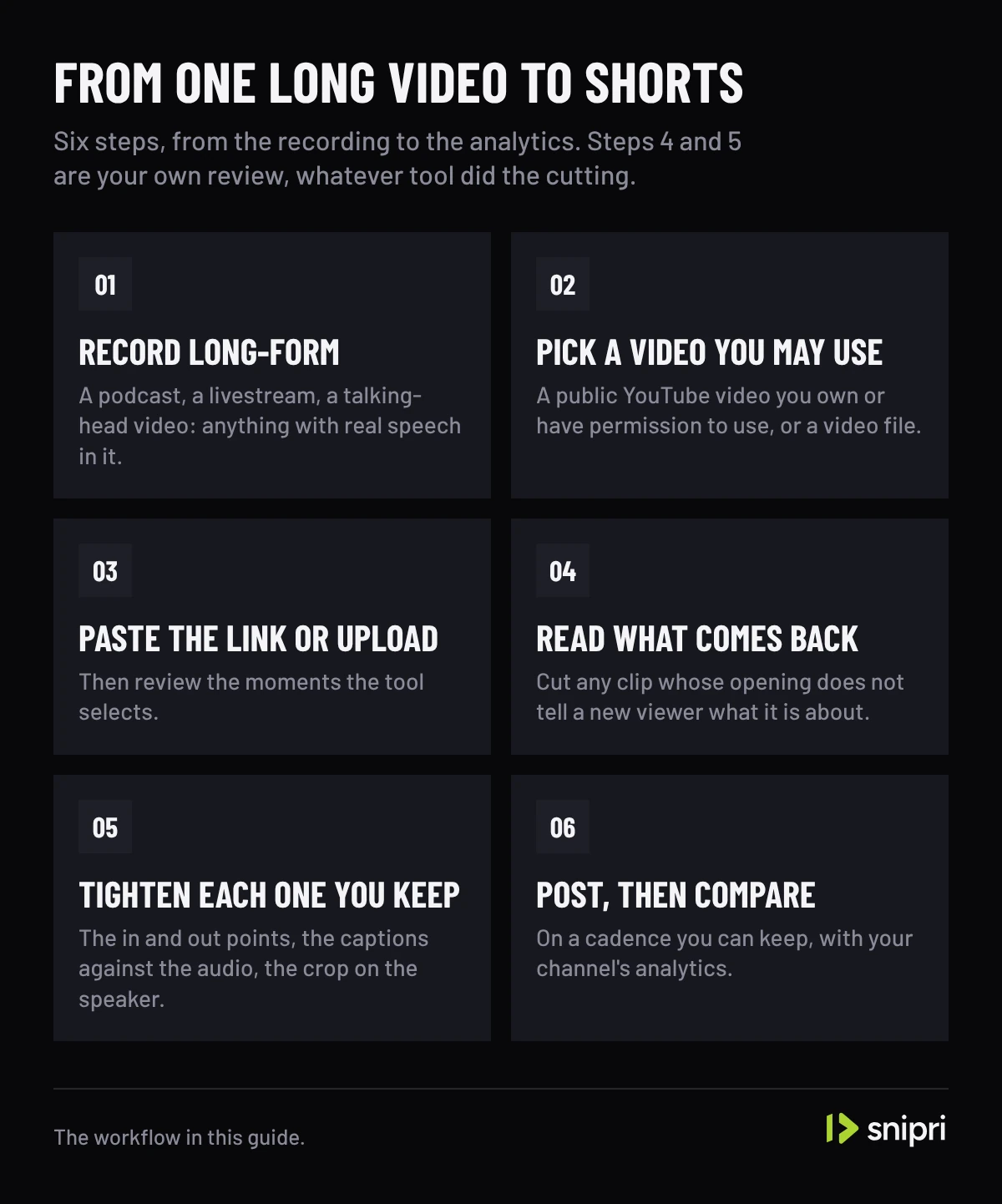
- Six steps: record long-form, pick a video you may use, paste the link or upload, read what comes back, tighten what you keep, then post and compare.
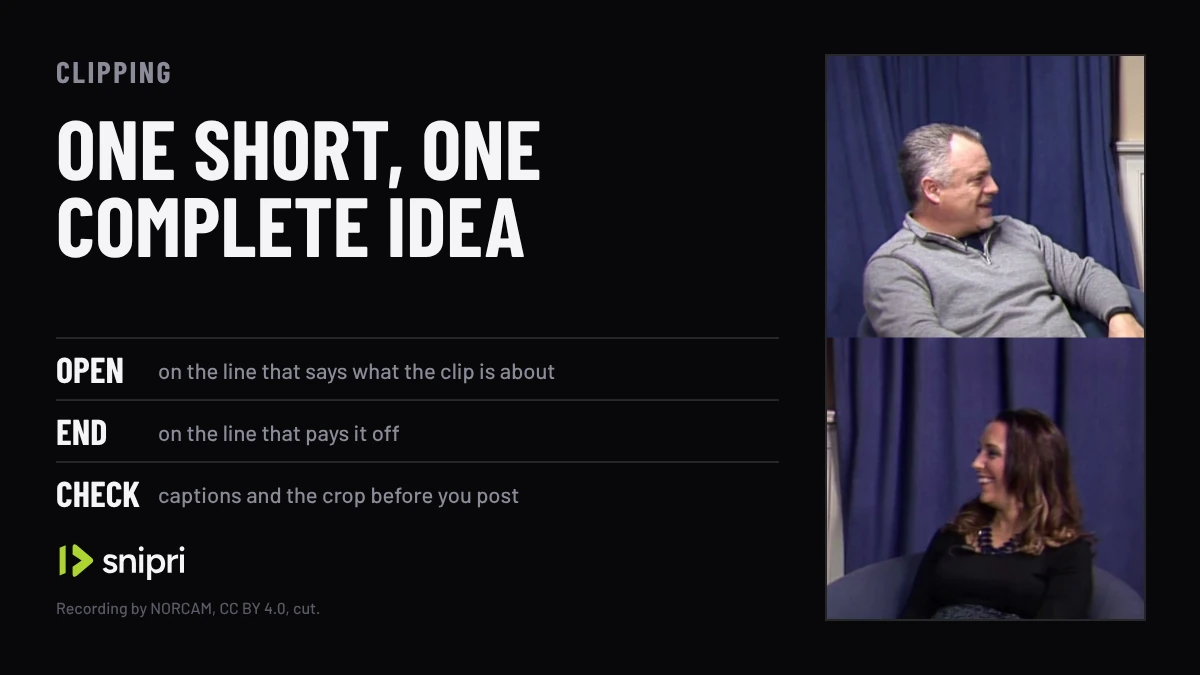
- One Short, one complete idea: if the clip needs the rest of the recording to make sense, cut a different one.
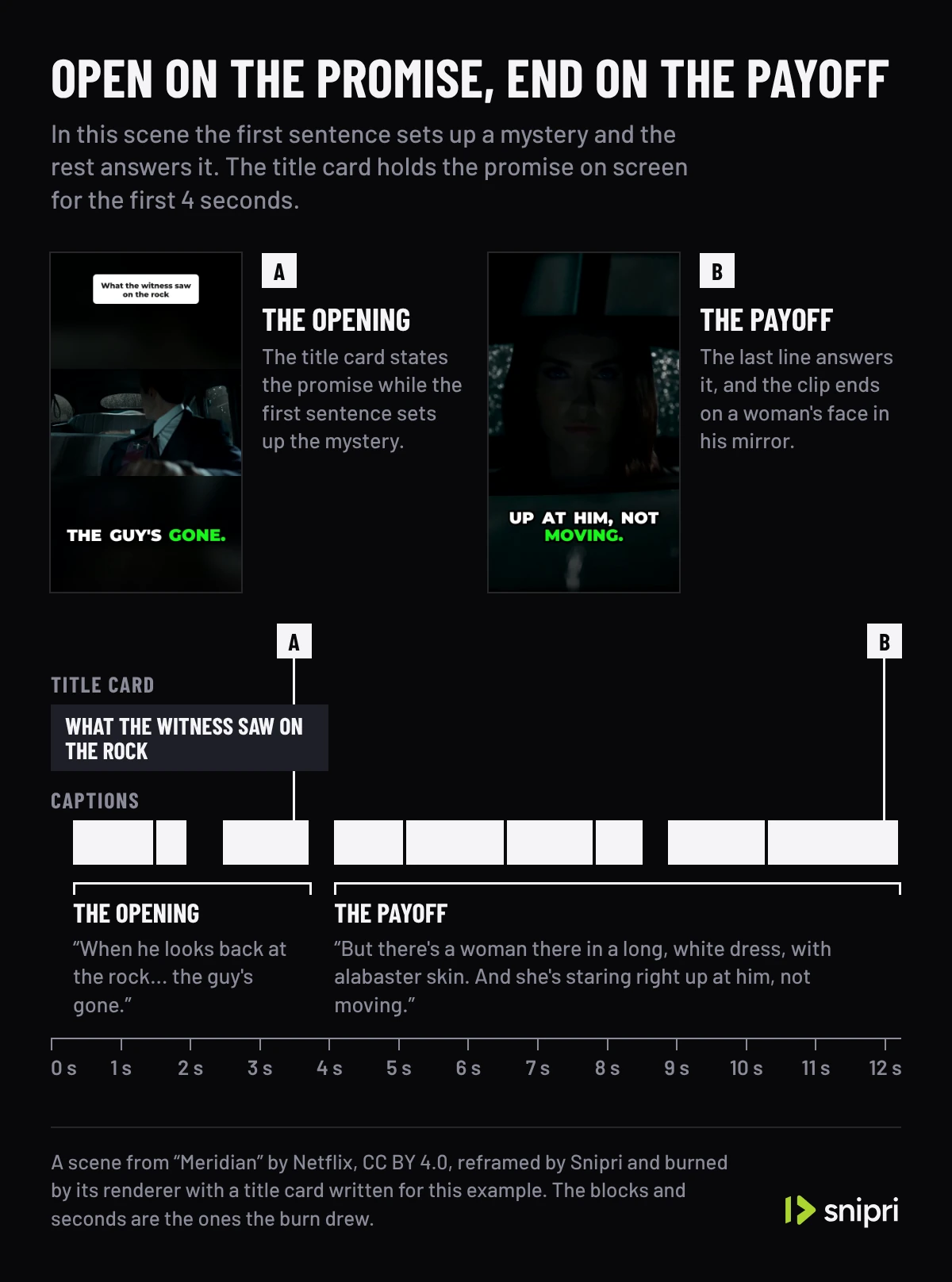
- An opening only works when the clip pays it off; name the promise, then find the line that keeps it.
- Check names, numbers and technical terms in the captions against the audio, and the crop at every speaker change.
- YouTube names average view duration and average percentage viewed as ranking signals, not a three-second cutoff.
A useful Short delivers one complete idea. Turning a long video into Shorts means finding the passages that make sense without the rest of the recording, then checking each one's opening, captions and framing before you post.
The six steps below work with any editor or clipping tool. They are editing suggestions to test with your audience, not promises about views or a fixed number of clips per episode, because no editing pattern guarantees a viral result.
How to turn a long video into Shorts, step by step
- Record long-form. A podcast, a livestream, a talking-head video: anything with real speech in it. The words are what give a clip a beginning and an end you can find again.
- Pick a video you may use. A public YouTube video you own or have permission to use, or a video file. Private, members-only and live videos are not supported for link imports.
- Paste the link or upload. In Snipri, paste the link into the YouTube clip maker or upload the file, and it picks the moments, reframes them to 9:16 and captions them; the YouTube Shorts maker page shows what one job returns. Dropbox and Google Drive imports are available when enabled in the app. In a manual editor, this is the step where you scrub the timeline for candidates.
- Read what comes back. Cut any clip whose opening does not tell a new viewer what it is about, and any that needs the rest of the recording to make sense. An opening the clip pays off, below, says what to look for.
- Tighten each one you keep. Trim the in and out points, check the captions against the audio and confirm the crop holds on the speaker. The checks for captions and for the vertical crop follow.
- Post, then compare. Post on a cadence you can keep, and compare clips in your channel's analytics before you decide what to repeat. What YouTube measures closes this guide.
Record your own editing time if you want to compare manual and assisted workflows. Review and correction time varies by source.
An opening the clip pays off
This is step 4 in detail. Choose an opening that accurately describes the payoff. These patterns are editorial options; test them rather than assuming they improve every clip.
- Pattern interrupt. Open on something visually unexpected: an abrupt angle, a line of text on screen, a movement already in progress. The thumb pauses.
- The promise. Say exactly what the viewer gets for staying. "The three settings that make any Short look professional" beats "here are some tips".
- The contrarian take. Lead with a claim that contradicts the usual advice. Viewers who agree stay to nod, viewers who disagree stay to argue.
- The numbered list. A number tells the viewer how much is coming. Check in your analytics whether it keeps them watching longer.
- The mid-clip reset. Around the halfway mark, hint that the best part is still coming. It buys you the second half.
Use only what fits the source. Keep enough context to preserve the speaker's intended meaning.
What a strong opening means in each format
An opening only works when the clip pays it off, and what counts as either depends on the recording. These are the rules Snipri's AI judges each format by, when you pick the kind of video or it names one on Auto:
| Format | A strong opening | A finished payoff |
|---|---|---|
| Podcast | A surprising answer, a strong opinion or the start of a story | The answer lands or the story resolves |
| Webinar | The problem a framework solves, or its one-line rule | A takeaway someone could act on |
| Q&A | A sharp question, or the first line of a direct answer | The question is settled completely |
| Commentary | The take itself, stated sharply | The reasoning that backs the take |
| Motivational speech | The first line of a story, or a striking claim | The lesson the story builds to, or a line that lands on its own |
The same test works by hand: name what the first line promises, then find the line that delivers it. If you cannot find that line, the clip is not finished.
Make captions readable with or without sound
Step 5 starts with the words. Captions help people follow speech when audio is unavailable or difficult to hear. Check names, numbers and technical terms against the original audio before publishing.
Use readable contrast and keep text away from faces and platform controls. Word highlighting is optional; it should help the viewer follow the sentence.
Burned-in captions remain visible as part of the video. Review any platform subtitle track separately. Watch the final export at phone size with sound both on and off.
Vertical reframing is not cropping
Then the picture. Film horizontal, crop to 9:16, and you cut half your own face out of frame. The clips that hold up use subject-aware reframing: the crop window tracks the face, so it stays in frame as they move.
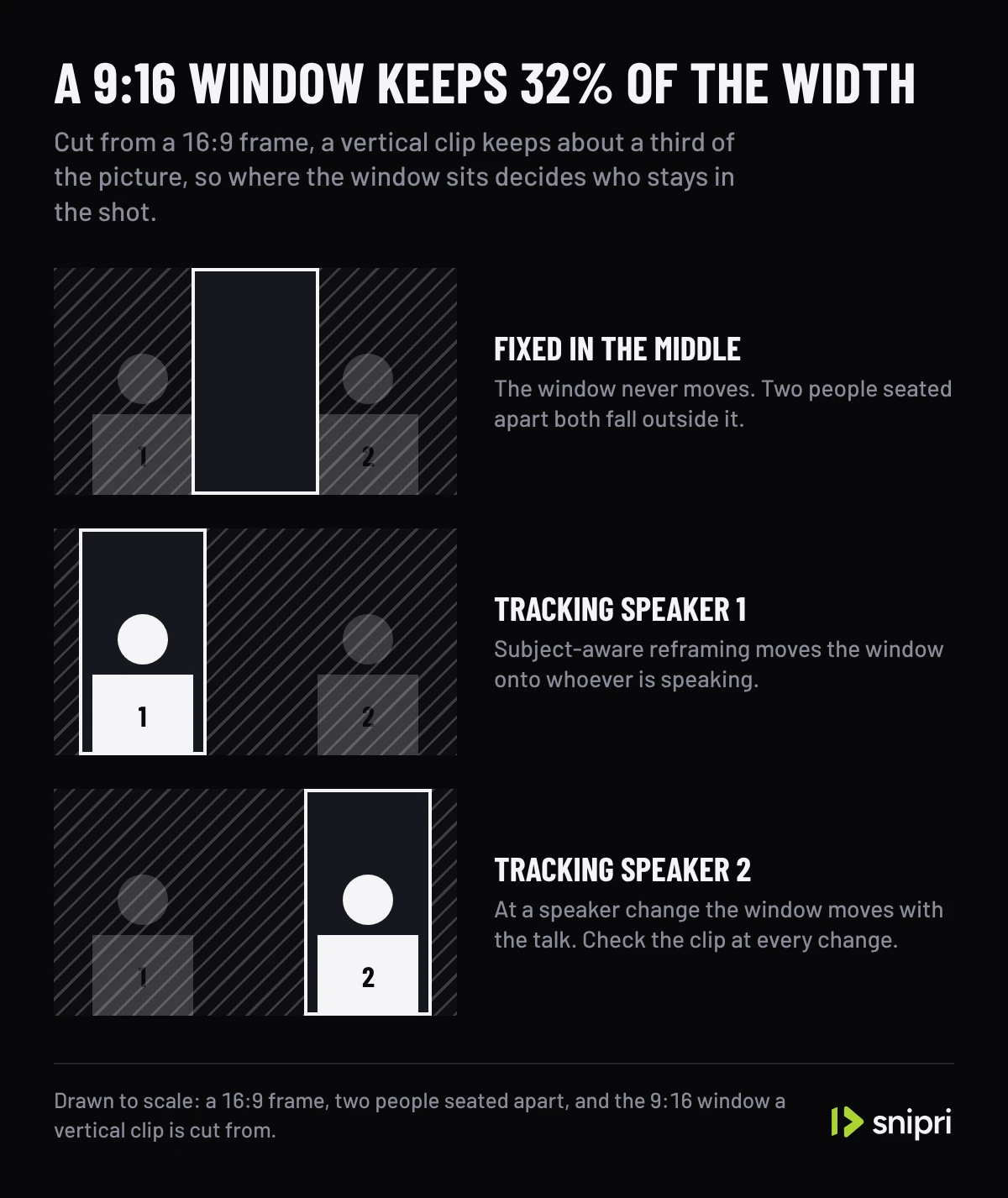
The same talk show shot cut to 9:16 two ways. Fixed in the middle, the window holds the screen between the two people; Snipri's reframe cuts a window on each face and stacks them as two panes. The windows over the recording are where each clip is cut from, and the clip on the right is the one Snipri rendered.
Recording: “The Matt Ligor Show Episode 5 - Sarah Tugender” by NORCAM, from the YouTube UGC dataset, under CC BY 4.0, cut and without sound.
Automatic reframing still needs review at speaker changes and movement. Where a shot has no face to follow, Snipri keeps the whole picture over a blurred copy of itself rather than guess at a crop. A face also has to be large enough: with one person in the shot, Snipri crops to it only when it is at least 12% of the frame's height, so someone filmed from far off stays in the whole shot. Clip one of your own videos and inspect the crop through the whole result, especially when a slide or second speaker matters.
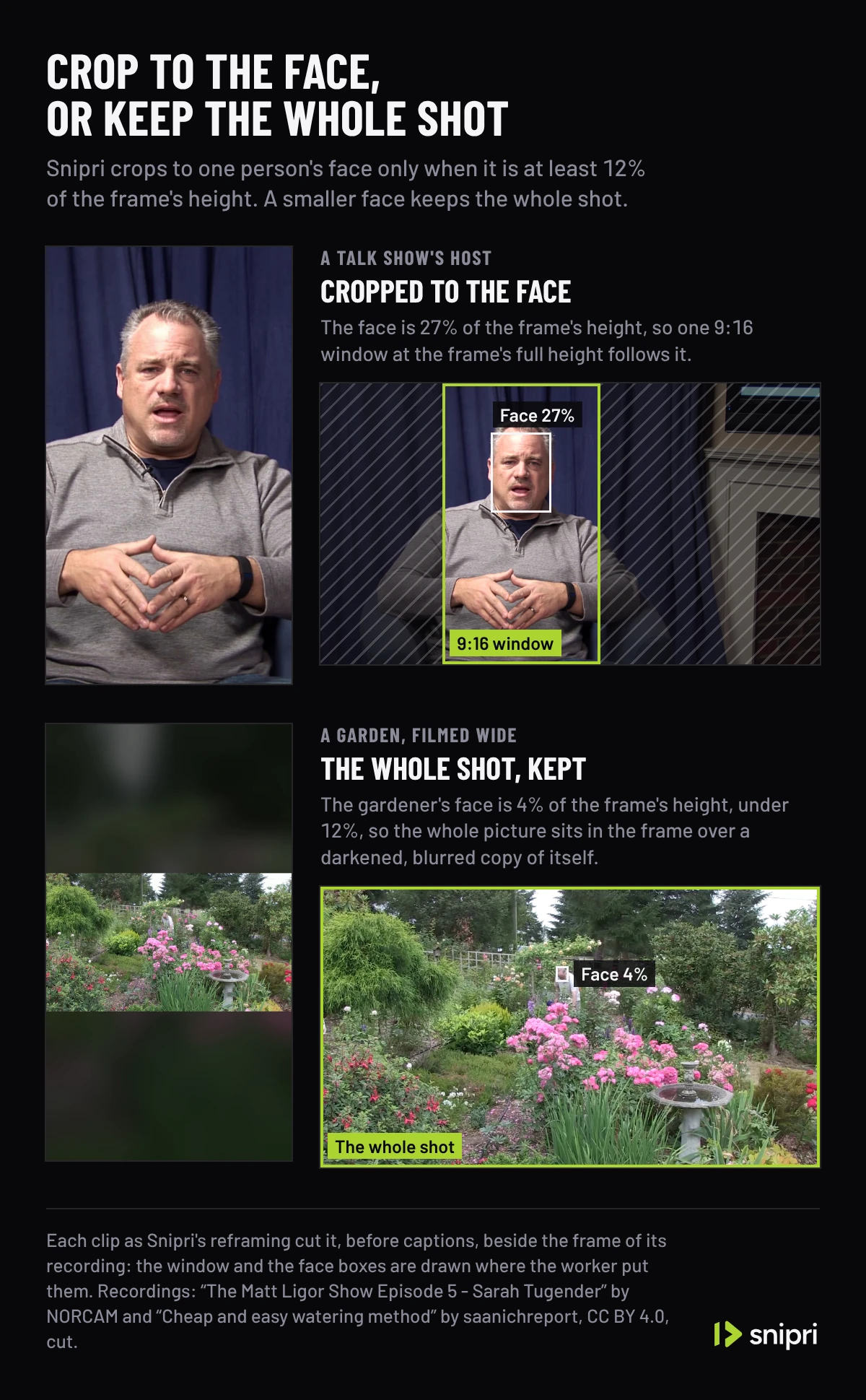
The same two cases in motion. The host's face, 26 to 28% of the frame's height, gets one 9:16 window that follows it. The gardener's face, 3 to 4%, is under the 12% Snipri needs to crop to one person's face, so the clip keeps the whole picture. Each clip plays beside its recording, and the window, the face box and the gauge of the face's height are drawn from what Snipri's worker decided.
Recordings: “The Matt Ligor Show Episode 5 - Sarah Tugender” by NORCAM and “Cheap and easy watering method” by saanichreport, from the YouTube UGC dataset, under CC BY 4.0, cut and without sound.
How many Shorts one long video makes
Repurposing lets you reuse a recording you own or have permission to edit. The number of usable moments depends on its content and audio quality, not on its length alone.
For each candidate, check:
- The opening explains the subject without missing context.
- The ending delivers a complete answer or story.
- Captions, audio and the crop remain clear throughout.
Keep the clips that pass those checks; do not stretch weak material to fill a posting schedule.
Measure performance without invented thresholds
Step 6 is where you learn what to repeat. YouTube describes recommendations as using viewer personalization and performance signals including average view duration and average percentage viewed. Topic interest, competition and seasonality also matter. Its guidance does not provide a universal three-second retention cutoff. See YouTube's official search and discovery guidance.
Compare clips with similar topics and lengths. Review your channel's retention and watch-time data over several uploads before deciding which approach to repeat. A Short can run up to 3 minutes, with one catch past the first minute; how long YouTube Shorts can be covers the rules.
Try it on a video you already have
Paste the link to a public YouTube video you have already published, or upload the file, and see which moments come back. Start free with two videos of up to an hour each and no card. Snipri will find the moments worth posting, reframe them to vertical for Shorts, Reels and TikTok, and burn in word-by-word captions. Free clips carry a watermark. Paid plans do not.
At volume, our pricing starts at $29.90 a month for 10 videos of up to 2 hours each, counted by the hour. You pay for the hours of video you feed in, never per export, so cutting one video into ten Shorts costs exactly what cutting it into three costs, and a video that comes back without clips does not count.
For a side-by-side on the tools in this space, read Opus Clip alternatives in 2026.
Common questions
How do I turn a long video into YouTube Shorts?
Pick the passages that make sense without the rest of the recording, cut each to a vertical 9:16 clip that opens on its promise and ends on its payoff, caption it, and check the crop at every speaker change. A clipping tool such as Snipri does the cutting, reframing and captions from an upload or a public YouTube link; the review is still yours.
Is there a three-second rule for YouTube Shorts?
YouTube's guidance gives no universal three-second cutoff. Its search and discovery tips name average view duration and average percentage viewed as signals that inform ranking.
How many Shorts can one long video make?
As many as it has moments that stand on their own, which depends on the recording. Snipri returns up to ten clips per job, and fewer when the recording holds fewer.
How long should a Short made from a long video be?
As long as the idea it holds, up to YouTube's limit of 3 minutes. YouTube publishes no ideal length, so end the clip when the idea ends and compare lengths in your analytics.
Sources
- YouTube Help: Search and discovery tips, checked October 26, 2026.
Cihan DüzgörenBuilds and runs Snipri, and wrote this guide