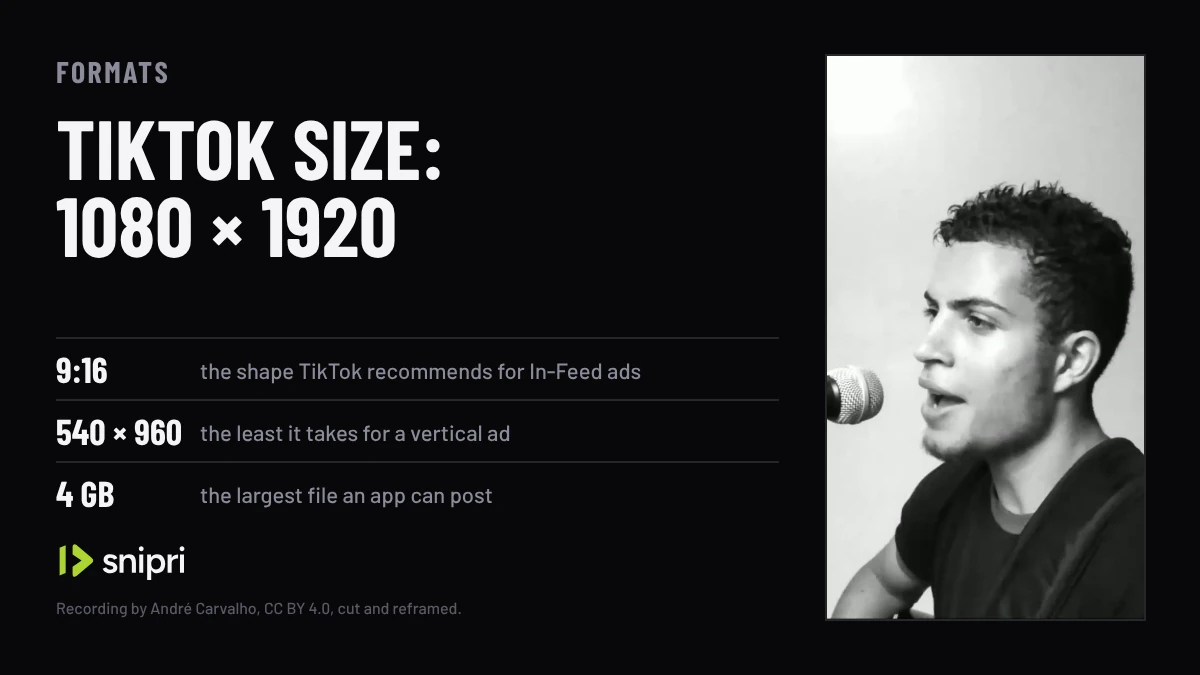
Short answer. Export a TikTok at 1080 × 1920 pixels, a vertical 9:16 frame. TikTok's specs for In-Feed ads recommend 9:16 at 540 × 960 or more and also take 16:9 and square, and its guide for apps that post lists MP4, WebM or MOV files, 23 to 60 frames per second, 360 to 4,096 pixels a side and up to 4 GB.
- 1080 × 1920 is a 9:16 frame at twice the 540 × 960 that TikTok's In-Feed ads take at least for vertical video, and the size Snipri renders every clip at.
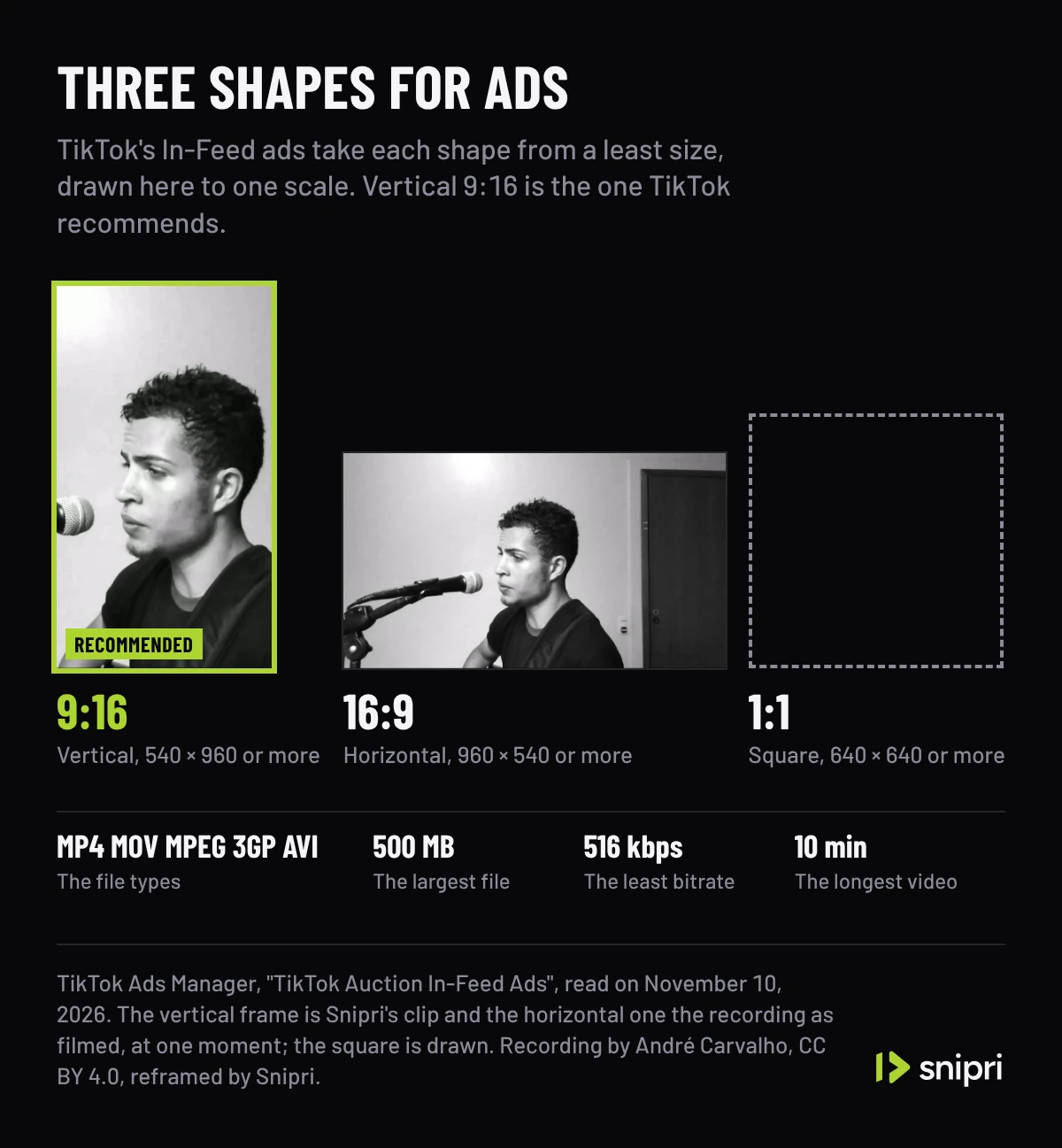
- In-Feed ads recommend vertical 9:16 and also take horizontal 16:9 from 960 × 540 and square 1:1 from 640 × 640.
- Apps that post through TikTok's API can send MP4, WebM or MOV files of up to 4 GB, at 23 to 60 frames per second and 360 to 4,096 pixels a side.
- An In-Feed ad file can be .mp4, .mov, .mpeg, .3gp or .avi, up to 500 MB, at a bitrate of 516 kbps or more.
- TikTok gives its safe zones for ads as files to download, not as numbers.
TikTok publishes its video sizes in two places: the specs for In-Feed ads in TikTok Ads Manager, and the rules for apps that post videos through its Content Posting API. The numbers below are quoted from both, read on November 10, 2026. Where a size is worked out from them rather than quoted, the post says so.
Export at 1080 × 1920
Export a TikTok at 1080 × 1920 pixels, a vertical 9:16 frame. Neither of TikTok's pages names one size to export at: the ads page sets the least size for each shape, and the developer guide the least and the most for each side.
| Setting | Value | Where it comes from |
|---|---|---|
| Shape | 9:16, recommended; 16:9 and 1:1 are taken too | TikTok Ads Manager, In-Feed ads |
| Size to export | 1080 × 1920 | 9:16 at twice the least vertical size each way; the size Snipri renders every clip at |
| Least size | 540 × 960 vertical, 960 × 540 horizontal, 640 × 640 square | TikTok Ads Manager, In-Feed ads |
| Pixels on each side | 360 to 4,096 | TikTok for Developers, for apps that post |
| File type | .mp4, .mov, .mpeg, .3gp or .avi for an ad; MP4 (recommended), WebM or MOV for an app | TikTok Ads Manager; TikTok for Developers |
| Codec | H.264 (recommended), H.265, VP8 or VP9 | TikTok for Developers |
| Frame rate | 23 to 60 frames per second | TikTok for Developers |
| File size | Up to 500 MB for an ad; up to 4 GB for an app | TikTok Ads Manager; TikTok for Developers |
| Bitrate | 516 kbps or more | TikTok Ads Manager, In-Feed ads |
| Length | Up to 10 minutes for an ad; 3 minutes for every creator, 5 or 10 for some | TikTok Ads Manager; TikTok for Developers |
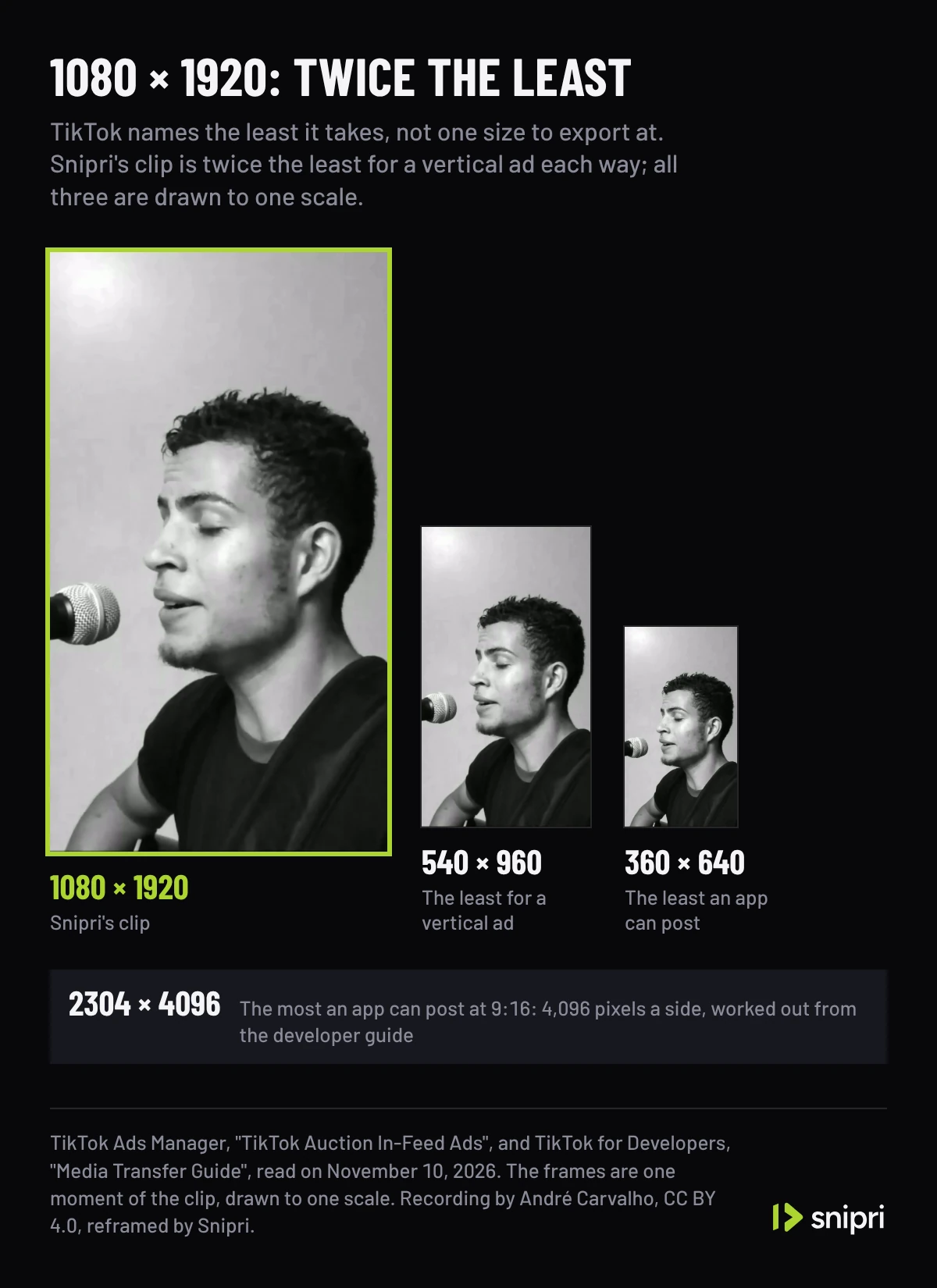
The least vertical size for an ad is 540 × 960, and 1080 × 1920 is that size doubled on both sides, four times its pixels. It sits well inside the developer guide's range of 360 to 4,096 pixels a side, which tops out at 2304 × 4096 for a 9:16 frame. 1080 × 1920 is also the size Snipri renders every clip at, so a clip from Snipri needs no resizing before it goes to TikTok.
The shapes TikTok takes
TikTok's In-Feed ad specs list three shapes and mark one as recommended: vertical 9:16, at 540 × 960 pixels or more. Horizontal 16:9 starts at 960 × 540 and square 1:1 at 640 × 640. The same page asks for a file of up to 500 MB in .mp4, .mov, .mpeg, .3gp or .avi, a bitrate of at least 516 kbps and a video of up to 10 minutes. Spark Ads, which the page lists apart, take .mp4 or .mov with no limit on length.
The developer guide for apps that post videos names no aspect ratio at all, only the range of 360 to 4,096 pixels on each side. A horizontal or square video fits inside that range as well as a vertical one; the ads page is where TikTok says which shape it prefers.
Turning a wide recording into a TikTok
A recording made for a computer screen is 16:9, and a 9:16 window as tall as that frame keeps 32% of its width. Where that window sits decides whether the person on camera is in the TikTok at all. Snipri's auto reframe follows the face to place it and renders the result at 1080 × 1920. The singer in this post's pictures was filmed at 1920 × 1080 and reframed that way, with one window following his face for all 12 seconds.
Snipri's YouTube Shorts maker does the same for a whole recording: it picks the moments that stand alone, reframes each one to 9:16 and captions every word, and the clips it hands back are 1080 × 1920 files you can post to TikTok as well.
A singer filmed wide at 1920 × 1080; the 9:16 clip Snipri's reframe cut from it, measured at 1080 × 1920 beside the least 9:16 sizes TikTok names, drawn to scale; then the clip as a file, checked against TikTok's developer guide: MP4, H.264, 30 frames per second and each side inside 360 to 4,096 pixels. The recording has no sound, so the clip has no captions; the measures, outlines and checks are drawn.
Recording: “Tempo de Pipa - Cicero (André Carvalho)” by André Carvalho, from the YouTube UGC dataset, under CC BY 4.0, cut and without sound.
The file TikTok takes
TikTok's developer guide recommends MP4 files with H.264 video for apps that post videos, at 23 to 60 frames per second. Snipri renders each clip as an MP4 with H.264 video and AAC sound, at the frame rate of the recording it was cut from, so a clip from a recording made at 24, 25, 30, 50 or 60 frames per second fits that range as it is.
For the size of the file, the two pages give different ceilings: 500 MB for an In-Feed ad, at a bitrate of at least 516 kbps, and 4 GB for a video an app sends through the API. The pages read for this post give no file size for an upload in the TikTok app itself.
On length, the developer guide says every creator can post 3-minute videos and some can post 5 or 10 minutes, that the longest video an app can send is 10 minutes, and that TikTok users may trim a video an app sends to fit their account's limit. Clips run 15 to 60 seconds by default. Before a job you can choose 10 to 30 seconds, 30 to 60 seconds, 60 to 90 seconds or 90 seconds to 3 minutes instead.
Where captions and text can sit
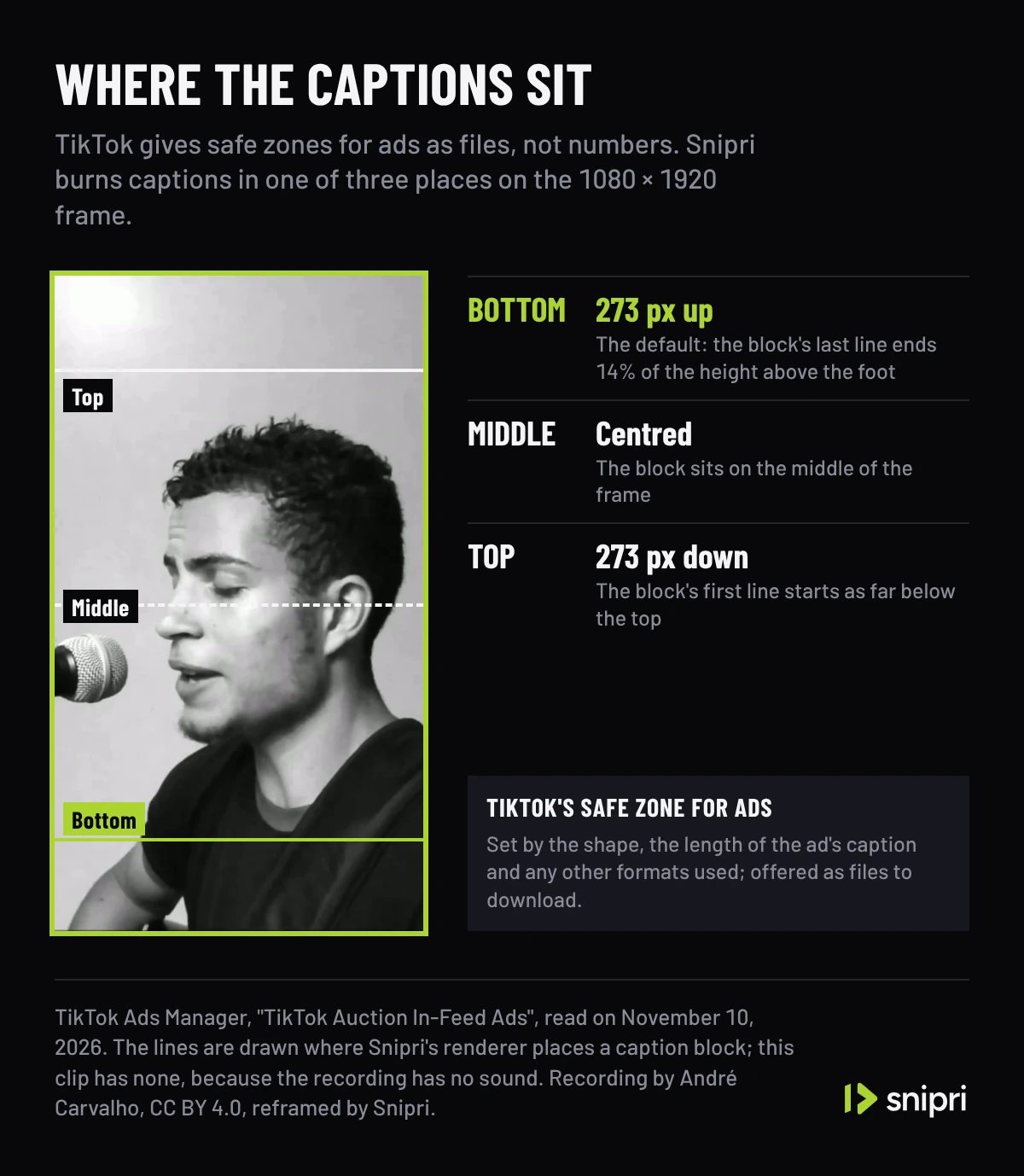
TikTok gives its safe zones for ads as files to download rather than numbers, and says the zone depends on the shape, the length of the ad's caption and any additional formats used. The pages read for this post publish no safe zone for ordinary posts.
Snipri burns captions with the bottom of the caption block 273 pixels above the bottom of a 1080 × 1920 frame, 14% of its height. In the editor you can move them to the top, where the block starts 273 pixels below the top edge, or to the middle, or drag them to another spot in the frame. Meta does publish numbers for its Reels ads, and Instagram Reel size sets them against where Snipri's captions sit.
One clip for TikTok, Shorts and Reels
The same 1080 × 1920 frame is the size to export for YouTube Shorts and for Instagram Reels, so one vertical clip can go to all three. What differs is how long each lets a video run and what each publishes about the text it lays over the picture.
More guides on lengths and sizes are in short video formats and specs.
Common questions
Can a TikTok video be horizontal?
Yes. TikTok's In-Feed ad specs take horizontal 16:9 video from 960 × 540 and square video from 640 × 640, and mark vertical 9:16 as the recommended shape. The developer guide for apps that post names no aspect ratio, only 360 to 4,096 pixels on each side.
Can I post 4K video to TikTok?
Through the Content Posting API, yes: TikTok's developer guide allows up to 4,096 pixels on each side, so a 2160 × 3840 frame is within it, in a file of up to 4 GB. The ads page sets only the least size of each shape.
What frame rate should a TikTok be?
Between 23 and 60 frames per second, the range TikTok's developer guide gives for videos that apps post. Snipri keeps the frame rate of the recording a clip is cut from, so a recording made at 30 frames per second gives a 30 fps clip.
How large can a TikTok video file be?
Up to 500 MB for an In-Feed ad uploaded in TikTok Ads Manager, and up to 4 GB for a video an app posts through the Content Posting API. The pages read for this post give no figure for uploads in the TikTok app itself.
Does TikTok publish a safe zone?
For ads, as files: TikTok's In-Feed ads page offers safe zone files to download and says the zone depends on the shape, the length of the ad's caption and any additional formats used. The pages read for this post give no safe zone figures for ordinary posts.
Sources
- TikTok Ads Manager: TikTok Auction In-Feed Ads, checked November 10, 2026.
- TikTok for Developers: Content Posting API, Media Transfer Guide, checked November 10, 2026.
Cihan DüzgörenBuilds and runs Snipri, and wrote this guide