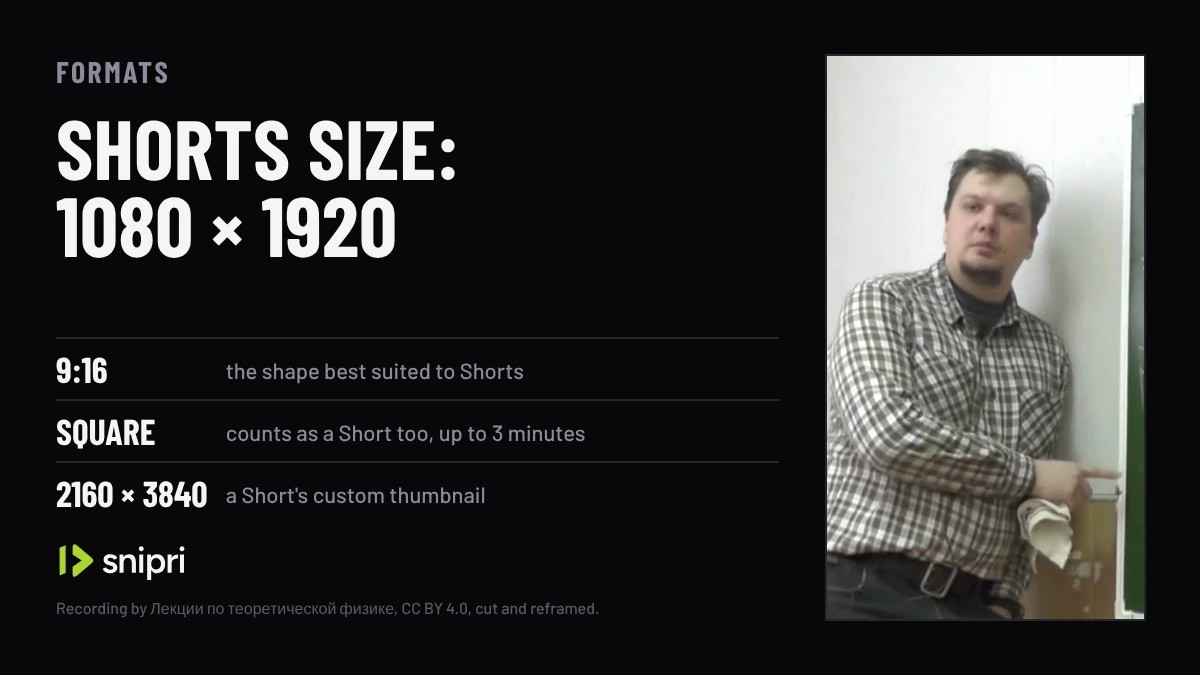
Short answer. Export a Short at 1080 × 1920 pixels, a 9:16 frame: YouTube's 1080p size turned upright. YouTube counts any square or vertical video of up to 3 minutes as a Short and treats a wider one, such as 16:9, as a regular video. For a custom Short thumbnail, YouTube gives 2160 × 3840 and suggests 9:16.
- 1080 × 1920 is the 9:16 frame of a Short: YouTube's 1080p size, 1920 × 1080, turned upright.
- Square and vertical videos of up to 3 minutes count as Shorts; 16:9 and other wider shapes upload as regular videos.
- Export the vertical frame on its own: YouTube advises against adding padding or black bars to the video itself.
- YouTube recommends H.264 video in an MP4, the frame rate you recorded at, and 8 Mbps for 1080p at 24 to 30 frames per second.
- YouTube gives 2160 × 3840 for a Short's custom thumbnail, at least 640 pixels high, added in YouTube Studio on a computer.
A Short has one size worth exporting and a plain rule for which shapes count. The numbers below are YouTube's own, from its help pages, read on November 4, 2026. Where a size is worked out from them rather than quoted, the post says so.
Export at 1080 × 1920
| Setting | Value | Where it comes from |
|---|---|---|
| Shape | 9:16; any square or vertical shape counts as a Short | YouTube Help; Google Ads Help calls 9:16 best suited to Shorts |
| Size | 1080 × 1920 | YouTube's 1080p size, 1920 × 1080, turned upright |
| Length | Up to 3 minutes | YouTube Help |
| File | MP4, H.264 video, AAC-LC or Opus audio at 48 kHz | YouTube's upload encoding settings |
| Frame rate | The rate you recorded at; 24, 25, 30, 48, 50 and 60 are common | YouTube's upload encoding settings |
| Bitrate at 1080p | 8 Mbps at 24, 25 or 30 fps; 12 Mbps at 48, 50 or 60 fps | YouTube's upload encoding settings, for SDR |
| Thumbnail | 2160 × 3840 (9:16), at least 640 pixels high | YouTube Help |
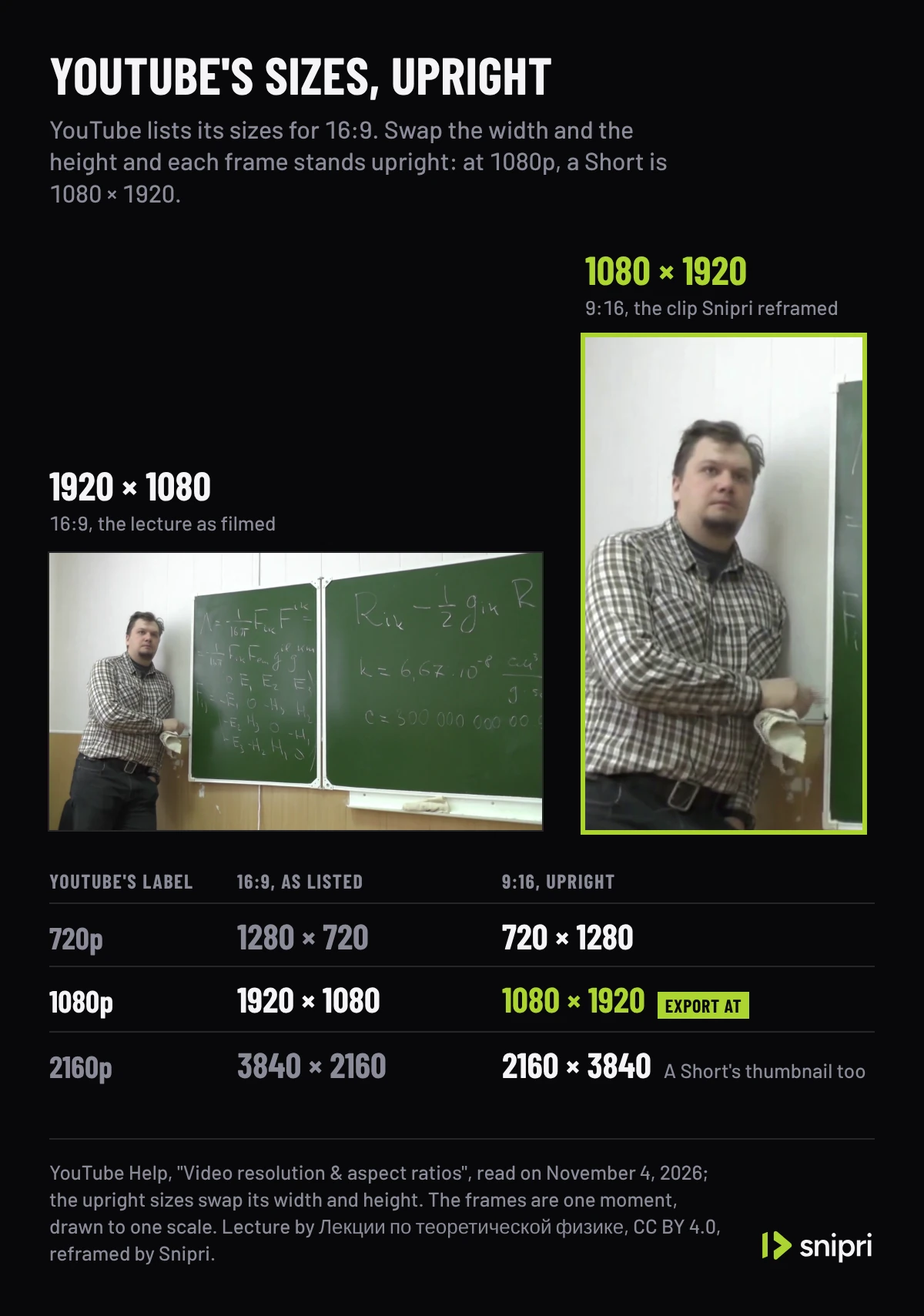
YouTube's table of resolutions is written for 16:9, the standard shape on a computer, and lists 1080p as 1920 × 1080. A Short's frame is the same one turned on its side: 1080 × 1920. That is also the size Snipri renders every clip at, so a clip from Snipri is ready to upload at the size this table names.
The shapes that count as a Short
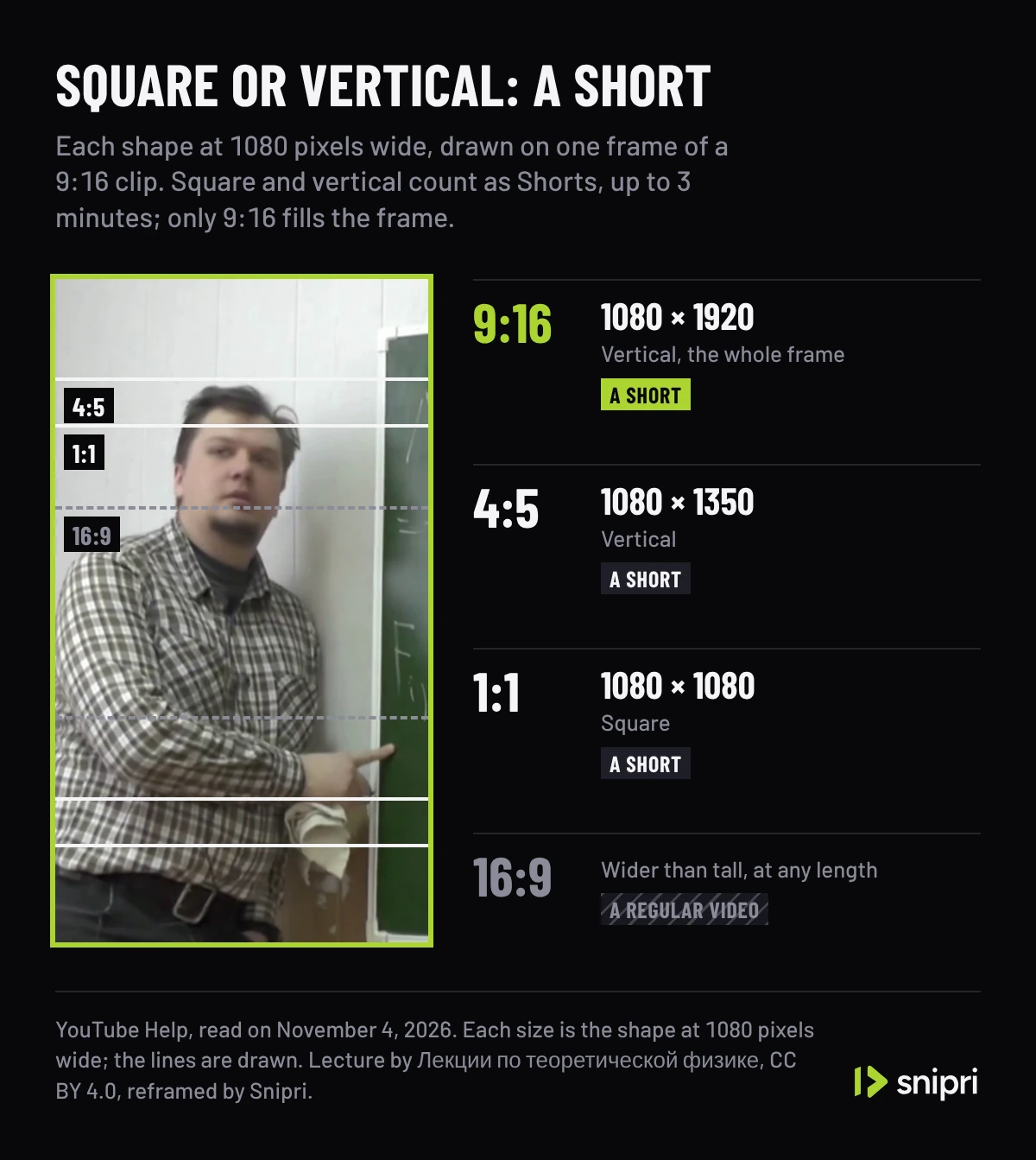
YouTube's page on uploading Shorts asks for a square or vertical aspect ratio, and its page on three-minute Shorts says that a square or vertical video of up to 3 minutes counts as a Short. So a 1:1 or 4:5 video is as much a Short as a 9:16 one. At 1080 pixels wide, those shapes are 1080 × 1080, 1080 × 1350 and 1080 × 1920, and only the last fills a vertical frame.
A wider shape is the way out of Shorts: for a video you do not want classified as a Short, YouTube's advice is a wider aspect ratio, such as 16:9. Its guidance for Shorts ads draws the same line from the other side, calling 9:16 the shape best suited to the Shorts format. How long a Short can run, and the catch with copyright claims past a minute, are in how long YouTube Shorts can be.
Turning a wide recording into a Short
A recording filmed for a computer screen is 16:9, and a 9:16 window as tall as that frame keeps 32% of its width. Where that window sits decides whether the speaker is in the Short at all. Snipri's auto reframe follows the speaker's face to place it and renders the result at 1080 × 1920; the lecture in this post's pictures was reframed that way. How to make YouTube Shorts from long videos puts a centred crop and a reframe side by side on one recording.
Export without black bars
YouTube's resolution page asks you not to add padding or black bars to the video itself, because they get in the way of its player, which changes shape to fit the video and the viewer's device. On a computer, YouTube may add padding beside a 9:16 video on its own, white by default and dark grey in Dark theme.
Bars also change what the file is. A vertical clip exported inside a 1920 × 1080 frame, with black on both sides, is a 16:9 video, the shape YouTube suggests for keeping a video out of Shorts. Export the 9:16 frame on its own.
A lecture filmed wide at 1920 × 1080, a regular video at any length; the 9:16 clip Snipri's reframe cut from it, measured at 1080 × 1920, beside a 16:9 outline turning upright; then the same clip inside a 16:9 file with black bars, which makes it a regular video, beside the clip as a 9:16 file, a Short. The recording has no sound, so the clip has no captions; the measures and the barred file are drawn.
Recording: “Riemannian geometry, PhD Evgeny Malkovich, Lecture 10” by Лекции по теоретической физике, from the YouTube UGC dataset, under CC BY 4.0, cut and without sound.
Where text and captions can sit
YouTube's help pages give no safe zone figures for Shorts. Its Shorts editor on Android shows visual guides instead: as you move text or a sticker, it marks where the like button, the comments and the video's description may appear for viewers, and animated white lines warn when an overlay comes so near an edge that it may be partly hidden on some devices.
Snipri burns captions with the bottom of the caption block 14% above the bottom of the frame, under the speaker's face. In the editor you can move them to the top or the middle, or drag them to another spot in the frame. Meta does publish numbers for its Reels ads, and Instagram Reel size sets them against where Snipri's captions sit.
The thumbnail
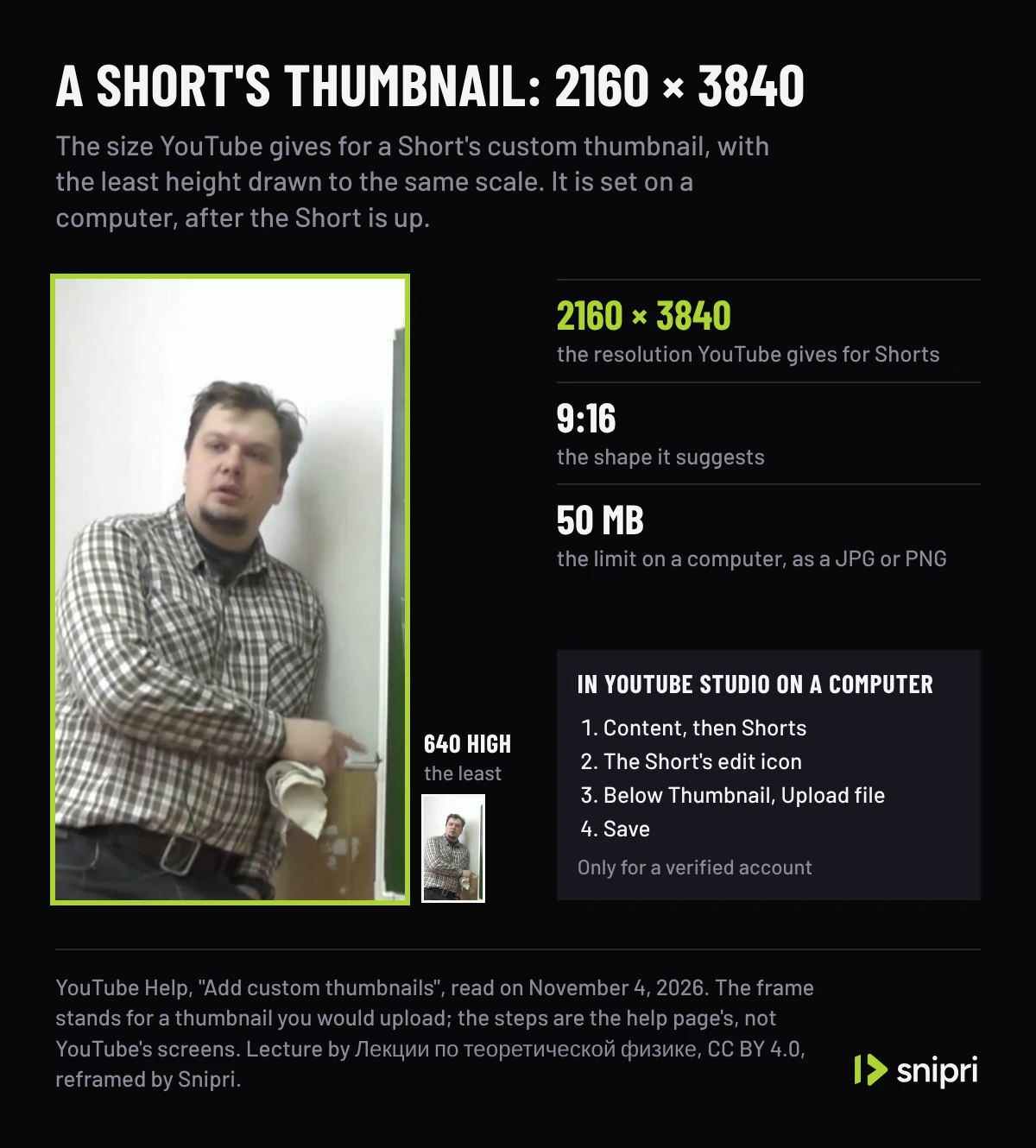
YouTube's page on custom thumbnails gives 2160 × 3840 pixels for a Short, with a minimum height of 640 pixels, and suggests a 9:16 ratio. The file can be a JPG or PNG, up to 50 MB on a computer. Custom thumbnails for Shorts can only be added in YouTube Studio on a computer, and only on a verified account:
- Sign in to YouTube Studio and select Content, then Shorts at the top.
- Go to the Short and click its edit icon.
- Below Thumbnail, click Upload file and choose the image.
- Click Save.
More guides on lengths and sizes are in short video formats and specs.
Common questions
What size is a YouTube Short in pixels?
1080 × 1920 for a full 9:16 frame at 1080p. YouTube lists its sizes for 16:9, such as 1920 × 1080 for 1080p, and a Short uses the same frame turned upright. 720 × 1280 and 2160 × 3840 follow the same way from 720p and 2160p.
What aspect ratio should a YouTube Short be?
9:16. YouTube counts any square or vertical video of up to 3 minutes as a Short, so 1:1 and 4:5 qualify too, but its guidance for Shorts ads calls 9:16 the shape best suited to the Shorts format.
Can a YouTube Short be horizontal?
No. A Short is square or vertical, and YouTube suggests a wider shape, such as 16:9, for a video you do not want classified as a Short. A horizontal video uploads as a regular video, whatever its length.
What is the YouTube Shorts thumbnail size?
YouTube's thumbnail page gives 2160 × 3840 pixels for Shorts, with a minimum height of 640 pixels, and suggests a 9:16 ratio. Upload a JPG or PNG of up to 50 MB in YouTube Studio on a computer; the account has to be verified.
Should I add black bars to fit a vertical video into 16:9?
No. A vertical clip inside a 16:9 frame makes a 16:9 file, which YouTube does not count as a Short, and YouTube advises against adding padding or black bars because they stop its player from fitting itself to the video and the viewer's device.
What frame rate should a YouTube Short be?
The rate you recorded at. YouTube's encoding settings say to upload at the frame rate the video was recorded in, and name 24, 25, 30, 48, 50 and 60 frames per second as common rates.
Sources
- YouTube Help: Upload YouTube Shorts, checked November 4, 2026.
- YouTube Help: Understand three-minute YouTube Shorts, checked November 4, 2026.
- YouTube Help: Video resolution & aspect ratios, checked November 4, 2026.
- YouTube Help: YouTube recommended upload encoding settings, checked November 4, 2026.
- YouTube Help: Add custom thumbnails, checked November 4, 2026.
- YouTube Help: Enhance your Shorts, checked November 4, 2026.
- Google Ads Help: YouTube Shorts ads: Asset specs and best practices, checked November 4, 2026.
Cihan DüzgörenBuilds and runs Snipri, and wrote this guide